
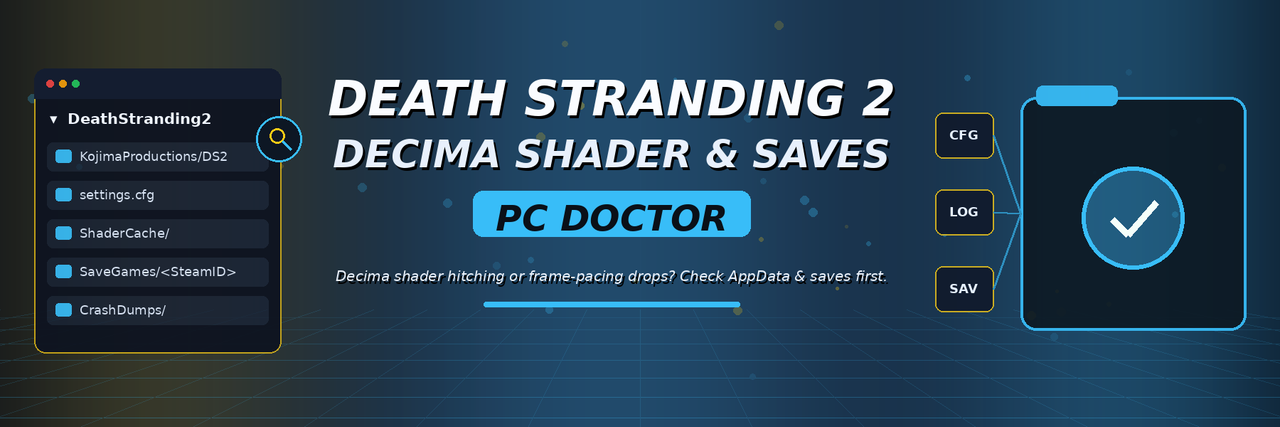


Death Stranding 2: On the Beach stuttering during vehicle traversal on Windows PC? Experiencing shader compilation freezes or looking for your local save folder before switching upscalers? Inspect your KojimaProductions AppData folder first.
Death Stranding 2 PC Cache & Save Doctor focuses on Decima Engine's PC behavior on Windows: compiled shader pipelines, settings.cfg, and local save profiles reside inside %LOCALAPPDATA%\KojimaProductions\DeathStranding2.
This project is aimed at Death Stranding 2: On the Beach on Windows PC (Steam & Epic). It concerns %LOCALAPPDATA% shader-cache checks, settings.cfg backups, Frame Generation pacing diagnostics, and local save protection—not save editing.
| Symptom / Error | Likely Cause | Recommended Check |
|---|---|---|
| Traversal stutter across rough terrain/weather | DX12 shader pipeline compilation or low free space on C: |
Check %LOCALAPPDATA%\KojimaProductions\DeathStranding2\ShaderCache |
| Uneven frame pacing with Frame Generation | Third-party FPS limiter (RTSS) or capture hook conflicting with Decima | Test native vs. DLSS/FSR Frame Generation with overlays closed |
| Black screen after changing HDR / Ultrawide | Invalid display flags written to settings.cfg |
Back up and reset %LOCALAPPDATA%\KojimaProductions\DeathStranding2\settings.cfg |
| Protecting porter saves before NG+ or patches | Cloud sync conflict overwriting local <SteamID64>\SaveGames |
Create a dated offline backup of <SteamID64>\SaveGames |
Download DS2PCDoctor.zip — Latest GitHub Release (Windows x64)
View All Releases & Changelog · Report an Issue
- Locates
%LOCALAPPDATA%\KojimaProductions\DeathStranding2and verifiessettings.cfgintegrity. - Inspects
ShaderCachefolder health and checks available free space on driveC:. - Finds all
<SteamID64>\SaveGamesfolders and prints save slot counts and modification dates. - Reports GPU driver version and active overlay processes that can affect Decima frame pacing.
[DS2PCDoctor] Checking KojimaProductions Decima Engine paths...
[OK]   AppData Root     : C:\Users\Player\AppData\Local\KojimaProductions\DeathStranding2
[OK]   settings.cfg     : Found (2.9 KB, writable)
[OK]   ShaderCache      : 412 pipeline files (38.4 GB free on C:)
[OK]   SaveGames        : 76561198041299104\SaveGames (18 checkpoints found)
[WARN] Active Overlay   : RTSS.exe running (may affect Frame Generation pacing)
The release ZIP is named DS2PCDoctor.zip; the Windows executable inside is named DS2PCDoctor.exe.
- Close Death Stranding 2: On the Beach before moving or checking game files.
- Click Download DS2PCDoctor.zip above.
- Right-click the downloaded archive and choose Extract All.
- Open the extracted folder and run
DS2PCDoctor.exe. - Review the reported locations and status checks before making any changes to your files.
- Restart Death Stranding 2: On the Beach and verify behavior after applying any recommended fixes.
Requirements: Windows 10 or 11 (64-bit), a Windows PC installation of Death Stranding 2: On the Beach, and DirectX 12 compatible GPU drivers.
- Read-only & standard user permissions:
DS2PCDoctor.exeruns without administrator rights and does not modify game binaries, system registry keys, or Windows Defender settings. - Windows SmartScreen: Because this is an independent open-source utility without a commercial EV code-signing certificate, Windows SmartScreen may show "Windows protected your PC" on first launch. Click More info → Run anyway after verifying the release checksum on the Releases page.
Decima Engine streams high-density terrain assets and compiles DX12 shaders into %LOCALAPPDATA%. Low free space on C: or stale driver caches trigger brief frame spikes.
Outdated GPU drivers or conflicting Frame Generation / overlay hooks (RTSS, Discord) can trigger startup or cutscene crashes.
Invalid display flags inside settings.cfg can cause black screens on launch until backed up and reset.
Copying your <SteamID> save folder outside %LOCALAPPDATA% protects your porter progression against cloud sync conflicts.
On Windows PC, local settings, shader caches, and save profiles live inside %LOCALAPPDATA%:
%LOCALAPPDATA%\KojimaProductions\DeathStranding2\
Inside that structure, key files and subdirectories typically look like this:
%LOCALAPPDATA%\KojimaProductions\DeathStranding2\
├── settings.cfg
├── ShaderCache\
└── <SteamID64>\
    └── SaveGames\
Keep a dated copy of <SteamID64>\SaveGames before testing experimental driver releases or graphics config tweaks.
If your issue still persists, work through these checks in order:
- Exit Death Stranding 2 completely. Confirm
ds2.exeis no longer running in Task Manager. - Back up
%LOCALAPPDATA%\KojimaProductions\DeathStranding2. Copy your<SteamID64>save folder andsettings.cfgto a dated folder in Documents. - Check free space on drive
C:. Ensure at least 15 GB of free space on your system drive for Decima shader caches. - Update GPU drivers to the latest 2026 release. Confirm official driver support for Death Stranding 2: On the Beach PC.
- Test native vs. DLSS/FSR Frame Generation with overlays disabled. Close third-party FPS limiters if uneven frame pacing occurs.
- Verify installed files in Steam or Epic Games Launcher. Repair any corrupted
.binarchive files. - Restart the game cleanly. Verify smooth frame pacing and save loading.
Never overwrite your <SteamID64> save directory during troubleshooting without saving an untouched backup copy first.
A clear diagnostic check locates %LOCALAPPDATA%\KojimaProductions\DeathStranding2, inspects settings.cfg and ShaderCache, checks C: free space, and lists local save slots.
Where are Death Stranding 2 PC save files stored on Windows?
Inside %LOCALAPPDATA%\KojimaProductions\DeathStranding2\<SteamID64>\SaveGames\.
Where is Death Stranding 2's graphics configuration file located?
At %LOCALAPPDATA%\KojimaProductions\DeathStranding2\settings.cfg.
Why does the game stutter after updating my NVIDIA or AMD driver?
Driver updates clear the compiled DirectX 12 shader cache, requiring shaders to rebuild during initial traversal.
Does this tool edit cargo, likes, or progression?
No. It strictly inspects local cache, config, and save directories.
Are any game files or copyrighted assets bundled here?
No game binaries or save files are included in this repository.
- CrimsonDesert-ShaderFrameDoctor — Crimson Desert DX12 shader cache & save diagnostics
- Marvel1943-ShaderConfigAudit — Marvel 1943: Rise of Hydra UE5 shader & VRAM audit
- Judas-UE5SaveFrameGuard — Judas UE5 shader compilation & branching save guard
- GearsEDay-UE5StutterDoctor — Gears of War: E-Day UE5 DX12 stutter & config doctor
Independent community project. Not affiliated with Kojima Productions, Sony Interactive Entertainment, Valve, or Steam. All trademarks belong to their respective owners.