
A sound effects workspace for AI agents: your agent makes the sounds, you hear and shape them.
Ask for a sound in plain words, hear it in the Studio a second later, and nudge it by ear until it is right. Everything runs on your computer.
English · Español · Deutsch · Français · 日本語 · 简体中文 · Português
Download · Get started · Agent skill
Works with
 Claude Code ·

 Node.js ·
 FFmpeg
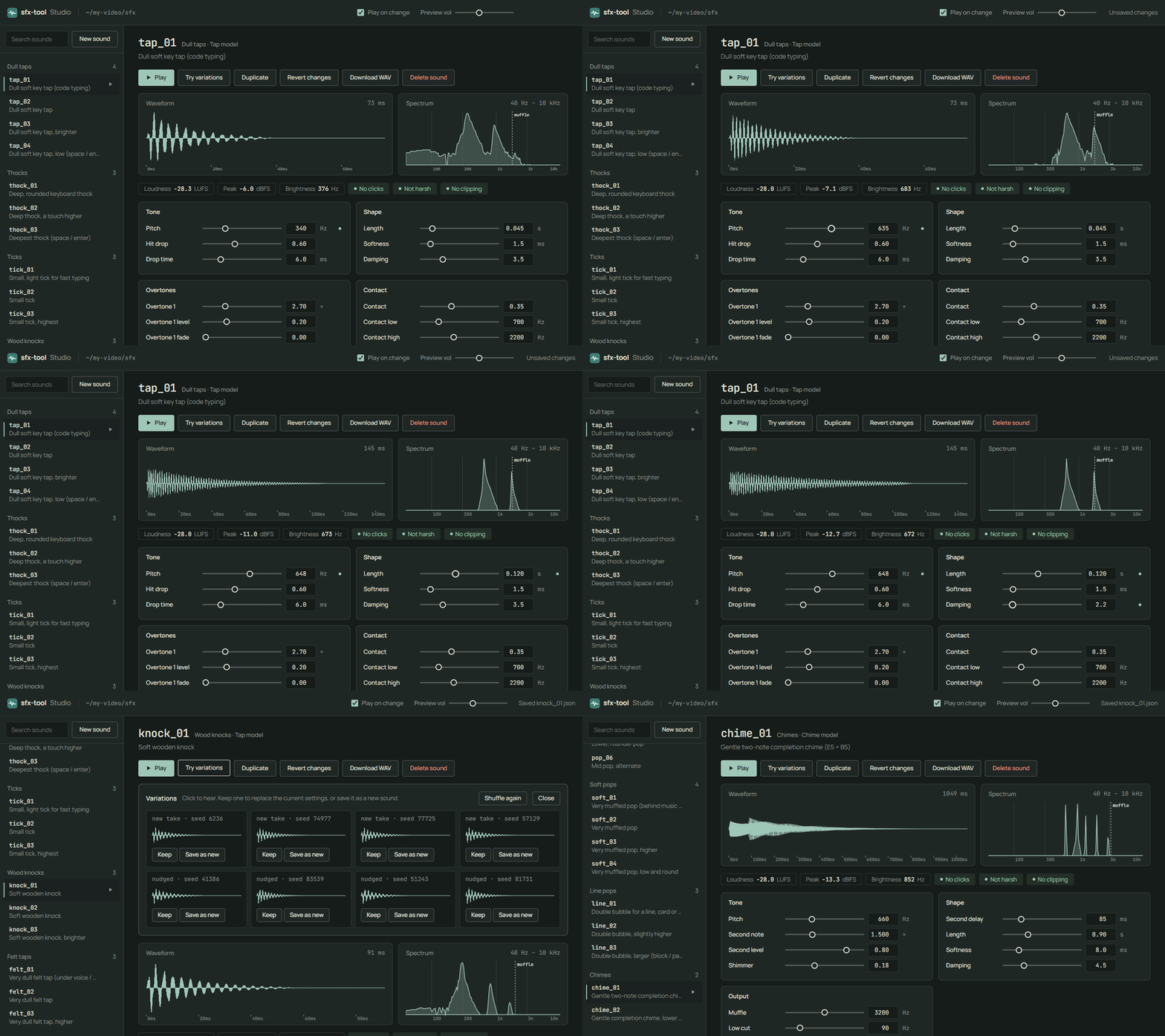
Your agent writes each sound as a small recipe file, and the Studio plays it the moment the file changes. You listen, move a slider or pick one of eight variations, and the agent sees your changes too. When it sounds right, export a WAV or a whole typing track for your video.
- Describe a sound ("softer", "more wooden", "like a real keyboard") and your agent builds it; you never write audio code.
- Every change is live: waveform, spectrum and loudness checks update as you or the agent edit.
- Made on your computer, with no account, API key or credit needed. It starts with 34 example sounds (key taps, knocks, pops, chimes) to build from.
- Install Node.js 18 or newer.
- Copy the
skill/folder into your agent's skills folder (for Claude Code:~/.claude/skills/sfx-tool). - Open a terminal in your project's folder and run the command below. It creates an
sfx/folder and opens the Studio in your browser. - Ask your agent in plain words, for example "Make a soft, wooden click for each typed letter, and a gentle chime when the line is done." The new sounds appear in the Studio, ready to tweak.
npx github:OpenRootdev/sfx-tool studio --open- Node.js 18 or newer. Nothing else to install.
- An AI agent that can use skills and run commands, such as Claude Code or Codex. The Studio also works on its own.
- A browser for the Studio.
skill/SKILL.md· How your agent turns a description into a sound, and how it works with you in the Studio.studio/· The page where you hear and shape the sounds.bin/sfx-tool.js· The command your agent (or you) runs: make sounds, variations and typing tracks.src/· The sound models and the example sounds.
Preview media lives on the assets branch and translations on translations, so main holds only the tool.
MIT licence · OpenRootdev