
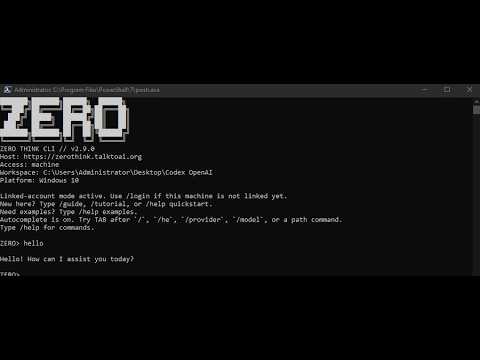


A public overview of ZeroThink, OpenZero, FreeWebPanel, ZSEC, and the wider TalkToAI infrastructure. Watch it here: https://www.youtube.com/watch?v=R52hsRdCmSM

OpenZero AIOS | TalkToAI | Research | Project Hub


AgentZERO is the public OpenZero AIOS repository for local AI agent work, server-based assistant workflows, vector memory experiments, browser/terminal automation research, and ZeroMint-style AI workstations.
It is designed as a practical AI systems project: run locally where possible, keep sensitive data under owner control, document the deployment path clearly, and separate public demos from private server operations.
- OpenZero AIOS public project material.
- AgentZERO local/server deployment notes.
- Vector memory and retrieval experiments.
- Browser and terminal automation research.
- ZeroMint AIOS screenshots, release notes, and public install direction.
- Links into TalkToAI, ZERO, ZeroThink, and ZSEC.
| Need | Link |
|---|---|
| GitHub repository | https://github.com/ResearchForumOnline/AgentZERO |
| Source ZIP | https://github.com/ResearchForumOnline/AgentZERO/archive/refs/heads/main.zip |
| GitHub releases | https://github.com/ResearchForumOnline/AgentZERO/releases |
| TalkToAI ecosystem | https://talktoai.org/ |
| Docs hub | https://docs.talktoai.org/ |
OpenZero AIOS public material for local AI agents, server-based assistant workflows, browser/terminal automation research, and AI workstation deployment notes.
Use the hosted OpenZero installer for active installs, or clone this repo to review the public project material.
curl -fsSL https://openzero.talktoai.org/install.sh | bashSearch-friendly topics: OpenZero AIOS, local AI workstation, self-hosted AI agent, server AI assistant, browser automation, terminal automation, ZeroThink bridge, TalkToAI ecosystem.
| Area | Link |
|---|---|
| OpenZero AIOS | https://openzero.talktoai.org/ |
| TalkToAI | https://talktoai.org/ |
| ZeroThink | https://zerothink.talktoai.org/ |
| Research | https://research.talktoai.org/ |
| ZSEC Auto Updates | https://github.com/ResearchForumOnline/ZSEC |
| Public project hub | https://github.com/ResearchForumOnline/ZEROtalktoai |
For existing Linux machines, review the installer before running it:
curl -fsSL https://openzero.talktoai.org/install.sh -o openzero-install.sh
less openzero-install.sh
bash openzero-install.sh
For unattended testing on a machine you control:
curl -fsSL https://openzero.talktoai.org/install.sh | bashUse a clean test machine or VM first. Keep API keys, SSH keys, model paths, and server credentials in local environment files that are never committed to GitHub.
A practical OpenZero workstation or VPS should have:
- Linux Mint, Ubuntu, Debian, or a compatible server Linux.
- 16 GB RAM minimum for lighter local AI work; more RAM for larger local models.
- 30 GB disk minimum for the application stack; more for local model files.
- SSH access protected by keys, firewall rules, and lockout-safe admin access.
- Optional XRDP or desktop access for visual workflows.
For a graphical AI workstation, install XRDP only on a server you control and protect it with firewall rules. Do not expose default credentials or weak passwords to the public internet.
Example setup:
sudo apt update
sudo apt install xrdp -y
sudo systemctl enable xrdp
sudo systemctl start xrdp
sudo ufw allow 3389/tcp
sudo ufw reload
For stronger hardening, restrict RDP to your home IP, use SSH tunnelling, or place the desktop behind a VPN.
OpenZero deployments commonly use PM2 for long-running services:
pm2 status
pm2 restart all
pm2 logs
Keep service names and local paths documented on the server, but do not publish secrets or production-only notes in this repository.


AgentZERO can connect to local files, model runtimes, browsers, and terminals depending on configuration. Treat it as a powerful local/server automation project, not a toy chatbot.
Important rules:
- Do not publish default passwords, SSH private keys, API keys, or live server credentials.
- Change any initial ISO, VM, or test credentials before network exposure.
- Keep RDP, SSH, panel ports, and model APIs restricted to trusted IPs where possible.
- Use ZSEC Auto Updates for security-only update automation and hardening direction.
- Review scripts before running them on production servers.
Next public improvements should focus on:
- A clearer demo path for new users.
- Safer local model setup guidance.
- Screenshots or short videos showing working OpenZero flows.
- ZSEC-linked server hardening notes.
- Separation between public docs and private deployment operations.
This repository can include public source, screenshots, docs, demos, and release notes. It must not include private server notes, customer data, SSH keys, API tokens, unpublished production code, or secrets.
- ZERO: https://github.com/ResearchForumOnline/ZERO
- ZT: https://github.com/ResearchForumOnline/ZT
- ZSEC Auto Updates: https://github.com/ResearchForumOnline/ZSEC
- FreeWebPanel: https://github.com/ResearchForumOnline/FreeWebPanel