
Compress any video to any size. Locally. And keep the quality.


中文说明 · Website & guides · Quick start · How it works · FAQ
As featured in 阮一峰《科技爱好者周刊》第 418 期 · 1,900+ downloads a week on npm
New in 0.1.9: HDR clips (iPhone HLG, HDR10) are tone-mapped to SDR instead of looking washed out, a target that cannot fit now fails before the encode with the real minimum, and the email presets account for the base64 attachment tax. Release notes
WeChat and Discord both stop at 20 MB. Email chokes around the same. So you open a video editor, guess a bitrate, export, check the size, export again, and still can't tell whether the picture got worse.
halfsize turns that into one command:
npx halfsize wedding.mp4 --to 25mbIt computes the bitrate, picks the resolution that actually fits, encodes twice, then measures the result with SSIM and VMAF so you know whether it still looks the same.
  halfsize 0.1.9

  source.mp4
  23.2 MB  8s  1920x1080  30.00 fps  h264

  target     2.00 MB
  plan       H.264  960x540  1.81 Mbps  audio 128 kbps  2-pass
  scale      1920x1080 -> 960x540
  estimate   1.94 MB  (12x smaller)
  output     source.2mb.mp4

  measuring quality                                        done in 1s

  23.2 MB  ->  1.99 MB   12x smaller   0.4% under target
  VMAF 84.4   SSIM 0.968   slight softening

  -> C:\Videos\source.2mb.mp4
"Make it smaller" is a solved problem. "Make it fit in exactly 20 MB, and tell me if it still looks right" is the part every tool makes you guess at.
- HandBrake is excellent, but it asks you to think in codecs, RF values, and presets.
- Online compressors work until you remember you just uploaded a private video to a stranger.
ffmpegcan do all of this. Nobody remembers the 11 flags, and almost nobody checks VMAF afterwards.
halfsize is the missing 5%: a target size you type, and a quality score you can read.
| halfsize | HandBrake | Online compressors | |
|---|---|---|---|
| Fit an exact size | ✅ one flag | manual bitrate math | usually re-encodes blindly |
| Tells you the quality cost | ✅ VMAF + SSIM | ❌ | ❌ |
| Your file stays on your machine | ✅ | ✅ | ❌ |
| Scriptable / CI friendly | ✅ CLI + JSON | ❌ GUI | ❌ |
| Learns a new UI | no | yes | yes |
Requires Node.js 18+. FFmpeg is bundled on first install; if it cannot
be downloaded, halfsize uses your system install instead.
# compress to a size
npx halfsize video.mp4 --to 25mb

# or just name the app you are uploading to
npx halfsize video.mp4 --for discord

# several files in one go
npx halfsize clip1.mp4 clip2.mp4 clip3.mp4 --to 10mb

# smaller file, same quality budget
npx halfsize video.mp4 --to 10mb --codec h265

# quality-first mode when size does not matter
npx halfsize video.mp4 --crf 23

# preview the plan without encoding
npx halfsize video.mp4 --to 25mb --dry-run

# machine-readable, for scripts
npx halfsize video.mp4 --to 25mb --json
Install it globally if you will use it more than once:
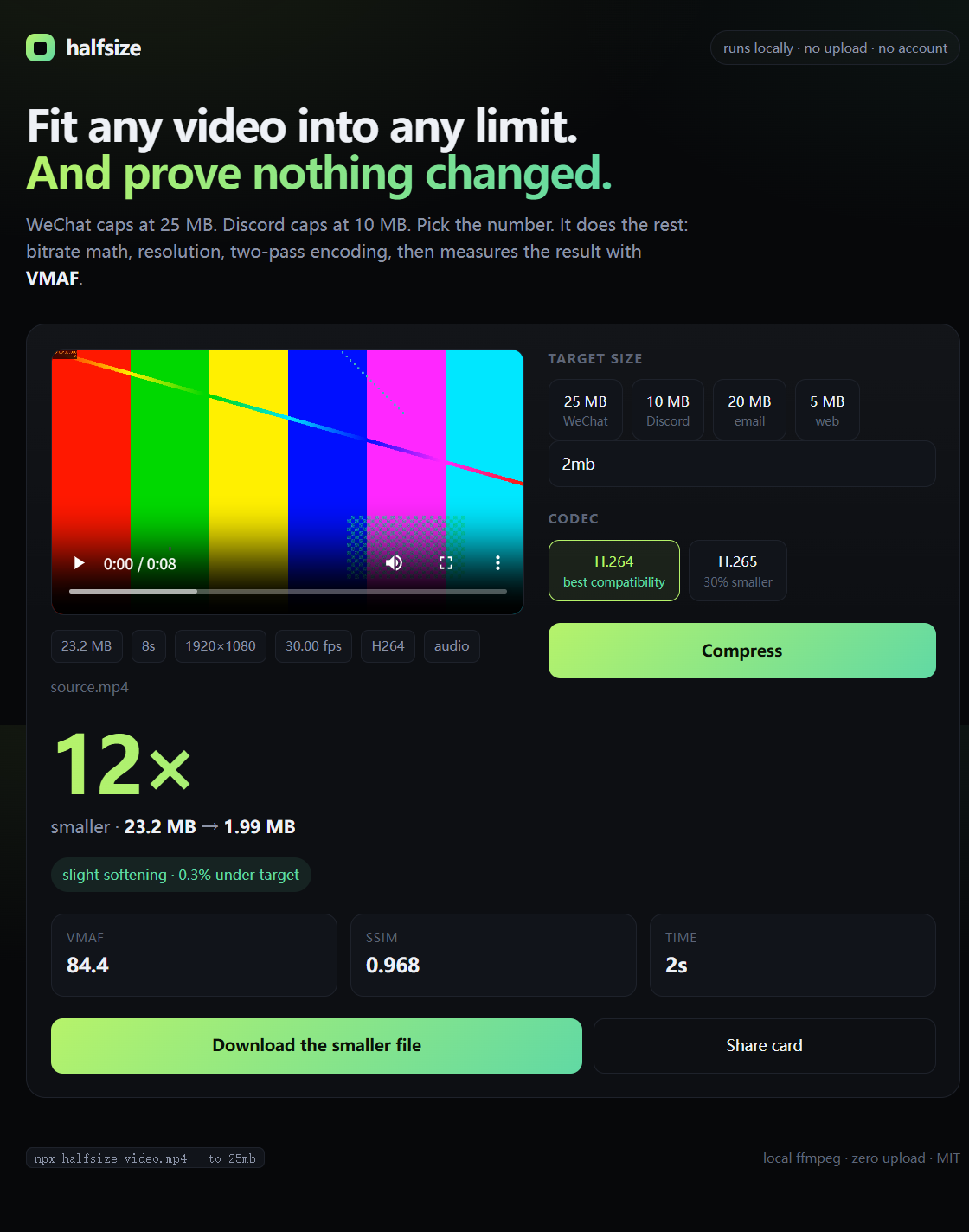
npm install -g halfsizenpx halfsize --webOpens http://127.0.0.1:4174 — drag a video in, pick 20 MB / 16 MB / 5 MB or type
your own limit, and watch the encode. The file goes to a temporary folder on your own
machine; nothing is sent anywhere.
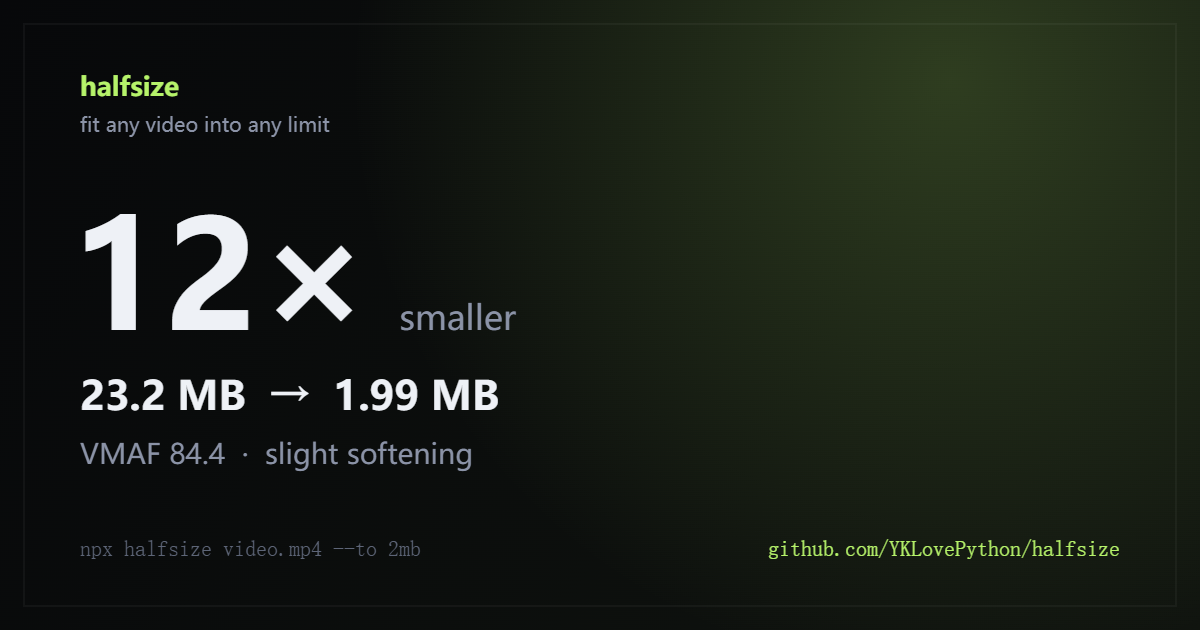
After each run you can download a share card (the image at the top of this README) with the real numbers on it.
Step-by-step guides with measured quality numbers: Discord 20 MB · WhatsApp 16 MB · WeChat 20 MB · email attachments · X / Twitter · any 20 MB limit · FFmpeg target size · compress without uploading.
| Where it is going | The cap | Command |
|---|---|---|
| Discord (free) | 20 MB per file | --for discord |
| WeChat chat video | 20 MB | --for wechat |
| WhatsApp, sent as media | 16 MB | --for whatsapp |
| Gmail attachment | 25 MB message → 18 MB file | --for gmail |
| Outlook / corporate mail | 20 MB message → 15 MB file | --for outlook |
| X / Twitter | 512 MB | --for twitter |
| Anything else | whatever you type | --to 700mb |
The email rows are smaller on purpose: base64 makes the attachment about 37% bigger than the
file, so an 18 MB MP4 is what fits in a 25 MB message. Caps change; --to always overrides the
preset. Full table, with what each cap counts and the measured VMAF at each size:
size limits by platform ·
every target size explained ·
video size calculator.
The repo ships a skill in skills/halfsize/SKILL.md. Install it with
the skills CLI so Claude Code, Codex, Cursor, OpenCode and the rest pick it
up automatically:
npx skills add YKLovePython/halfsizeOr copy the folder into your agent's skills directory by hand (for Claude Code:
.claude/skills/halfsize/). Either way the agent can turn "make this fit in 25 MB" into a
compression plus a measured quality report, instead of guessing a bitrate.
- Probe. Read duration, resolution, frame rate, audio bitrate, rotation, and HDR metadata.
- Budget. Total bitrate = target bytes × 8 ÷ duration, minus audio, minus a small container overhead.
- Pick a resolution. Walk a ladder from the source size down to 240p and choose the largest one whose pixels fit the budget at that codec's bits-per-pixel target (H.264: 0.072 bpp, H.265: 0.045 bpp). This is why a 12× shrink still looks reasonable: the encoder gets to spend its bits on fewer pixels.
- Encode twice. Two-pass ABR with
libx264orlibx265. Pass one learns where the bits are needed; pass two spends them. Output isyuv420p, AAC audio,+faststart, and taggedhvc1for H.265 so it plays on Apple devices. HLG/PQ sources are tone-mapped to SDR BT.709 in the same pass; without that, 8-bit pixels keep their HDR tags and look grey. - Prove it. Sample three points in the video, compute SSIM at each, and VMAF at the midpoint. Compare against thresholds and print a verdict in plain language.
VMAF ≥ 95  indistinguishable
VMAF ≥ 90  looks the same
VMAF ≥ 80  slight softening
VMAF ≥ 70  visible loss
below 70   clearly degraded
VMAF is Netflix's perceptual metric; it correlates with human judgement far better than PSNR or bitrate. It is not magic, but it is a much better answer than "trust me".
Same 60-second 1080p clip, default settings, measured on a normal laptop:
| Target | Output | Resolution | Video bitrate | VMAF | Verdict |
|---|---|---|---|---|---|
| 20 MB | 19.45 MB | 1280×720 | 2.46 Mbps | 88.3 | slight softening |
| 16 MB | 15.59 MB | 960×540 | 1.94 Mbps | 84.8 | slight softening |
| 10 MB | 9.77 MB | 960×540 | 1.17 Mbps | 82.9 | slight softening |
| 5 MB | 4.93 MB | 640×360 | 0.55 Mbps | 72.0 | visible loss |
Source: 60 s, 1920×1080, 30 fps, 18 Mbps H.264 (136 MB). VMAF is measured against the source at the midpoint, SSIM at three points. Real numbers move with content: a talking head does much better than confetti.
At 20 MB the tool picked 720p on purpose. Sixty seconds of 1080p at 2.4 Mbps looks worse than
720p at the same bits. --no-downscale overrides that, and --codec h265 buys roughly 30%
more quality at the same size if your player supports it.
halfsize <file> [options]

  --to <size>       Target size: 25mb, 700k, 1.5gb
  --for <app>       Target cap for discord, whatsapp, wechat, gmail, outlook, email, twitter
  --crf <n>         Quality mode instead of size mode (18 best, 23 balanced, 28 small)
  --codec <name>    h264 (default, maximum compatibility) or h265 (about 30% smaller)
  --preset <name>   ultrafast .. veryslow (default: medium)
  --out <file>      Output path
  --no-audio        Drop the audio track
  --no-verify       Skip SSIM/VMAF
  --no-downscale    Never reduce resolution (the target may then be missed)
  --force           Encode even when the target is below the minimum for this duration
  --json            Machine-readable result
  --dry-run         Print the plan, do not encode
  --web             Start the local web app
  --port <n>        Port for the web app (default 4174)
  --doctor          Show which FFmpeg and encoders were found
  -h, --help        Help
  -v, --version     Version
Sizes accept b, k/kb, m/mb, g/gb, with or without a space. No unit means MB.
--for uses the current free-tier caps (checked November 2026): discord 20 MB,
whatsapp 16 MB, wechat 20 MB, gmail/email 18 MB, outlook 15 MB, twitter
512 MB. Email caps apply to the base64-encoded message, so an 18 MB file is the largest
that stays under Gmail's 25 MB. Caps change, so --to always overrides.
Exit codes: 0 success, 1 error. --json returns the plan, the measured quality, and the
target accuracy, which makes it easy to wrap in a script.
Needs Node.js 18 or newer. The first npx run downloads both the package and a
prebuilt FFmpeg, so it can pause for a minute. If you will use it more than once,
install it globally and skip that wait on every run:
npm install -g halfsize
halfsize video.mp4 --to 25mb
If npx keeps starting an old cached version, pin it: npx halfsize@latest ....
ffmpeg-static downloads a prebuilt FFmpeg during npm install; FFprobe ships inside
ffprobe-static, so it needs no download. If you are behind a proxy or a TLS-inspecting
network, that download can fail. Point it at a mirror, or use a build you already have:
# use the npmmirror binary mirror (fast in mainland China)
FFMPEG_BINARIES_URL=https://registry.npmmirror.com/-/binary/ffmpeg-static npx halfsize video.mp4 --to 25mb

# or an FFmpeg already on disk
HALFSIZE_FFMPEG=/path/to/ffmpeg HALFSIZE_FFPROBE=/path/to/ffprobe npx halfsize video.mp4 --to 25mb
If npm says unable to verify the first certificate, a proxy or antivirus is inspecting
TLS. On Node 22.15+ use the system certificate store:
$env:NODE_OPTIONS="--use-system-ca"; npx halfsize video.mp4 --to 25mbA failed binary download no longer aborts the install: halfsize still starts and tells you
which of these fixes to apply. On Windows, winget install Gyan.FFmpeg is enough. On
macOS, brew install ffmpeg. On Debian/Ubuntu, sudo apt install ffmpeg. Run
npx halfsize --doctor to see what was found.
Does my video get uploaded?
No. The CLI never touches the network. The web app talks only to 127.0.0.1, and uploaded
files go to a temp directory that is deleted when the process exits.
How do I get a video under Discord's 20 MB limit?
npx halfsize clip.mp4 --for discord targets the free-tier cap (20 MB as of late 2026) and
writes a normal MP4 that plays in Discord's preview. Long 1080p clips usually come out at 720p;
that resolution drop is what buys the size.
WeChat says the video is too large. What now?
npx halfsize clip.mp4 --for wechat targets the 20 MB chat-video cap. If you need it smaller
still, pass --to 10mb (or any size) instead.
How many minutes of video fit in 20 MB? About two minutes at 1.2 Mbps, which is normal 720p. Five minutes only works at 400 kbps (low-motion 540p), and ten minutes leaves 133 kbps — that is a slideshow, not video. Since 0.1.9 the tool does that arithmetic before encoding and reports the smallest size the duration can hold, so you find out in a second instead of ten minutes.
Why does my iPhone video turn grey after compressing? Because it is HDR. iPhone 12 and later record HLG by default, and older tools re-encode those values as ordinary 8-bit video while keeping the HDR tag, so players show it flat and washed out. halfsize detects HLG and PQ and converts to SDR BT.709 inside the same encode pass, including the quality measurement, so the output looks like what you saw on the phone. On a version before 0.1.9, upgrade instead of tuning bitrate.
Why did it lower my resolution?
Because 20 MB of 4K is not enough bits to look good. Lowering resolution and keeping the
bitrate per pixel sane almost always looks better than keeping 4K and starving it. Use
--no-downscale if you want to override that.
Why is the output slightly under the target, not exactly on it?
Container overhead and two-pass ABR both vary a little. halfsize aims ~3% under so it never
overshoots a hard platform cap. In the example above it landed 0.4% under.
H.264 or H.265? H.264 plays everywhere, including old Android phones and browsers. H.265 is roughly 30% smaller at the same quality but can be awkward in some editors and older hardware. Default is H.264.
Does it work on Windows / macOS / Linux? Yes. It is plain Node.js and FFmpeg.
Can I batch a folder? Yes. List the files, or let your shell expand them:
npx halfsize *.mp4 --to 25mbEach file gets its own plan and verdict, a failure does not stop the rest, and --json returns
{ "files": [ ... ] }. --out is allowed only when there is a single input.
Why "halfsize"? Because the honest answer to "how much smaller will it get?" is usually "about half, or a lot more than half". The tool reports the real number either way.
- Hardware encoding (NVENC / QSV / VideoToolbox) as an opt-in fast path
- A folder watcher that compresses new files as they appear
- Subtitle and multiple audio track passthrough
- AV1 (
libsvtav1) when the source is already AV1-friendly - A single-file binary, so Node.js is not required
If you want one of these, open an issue and say which. Pull requests are welcome; see CONTRIBUTING.md.
git clone https://github.com/YKLovePython/halfsize.git
cd halfsize
npm install
npm test
node bin/halfsize.mjs --web
The test suite includes a real end-to-end encode: it generates a clip with FFmpeg, compresses it to a target, probes the output, and asserts the size and SSIM. No fixtures in the repo.
MIT. Use it, fork it, ship it.
See CHANGELOG.md for what changed.
If halfsize saved you from guessing a bitrate, a star helps the next person find it.