


- 📖 Overview
- ✨ Highlights
- 📷 Screenshots
- 💻 Supported Platforms
- 🧠 Philosophy
- 🔧 Rules
- 📥 Installation
- 📁 Repository layout
- 📜 Cheatsheet
- 📦 Tools & Packages
- 📚 Guides
- 🔨 Development
This repository holds all my dotfiles and working configuration, managed by chezmoi. The same source sets up a Gentoo workstation, an Arch laptop, a MacBook, a phone running Termux and a throwaway container. Every machine answers a handful of questions once (GUI server, window manager, browser, mail client, multiplexer...), and templates render only what fits it.
| Area | What you get |
|---|---|
| Shell | fish with a custom prompt, abbreviations and helper functions |
| Editor | Neovim, kept in its own submodule, with LSP, DAP and linters from Mason |
| Terminal | kitty and Zellij (or tmux) |
| Linux desktop | niri or Hyprland on Wayland, with the Noctalia shell |
| macOS desktop | AeroSpace or OmniWM, with SketchyBar and Hammerspoon |
| Apps | Zen Browser or Firefox and Betterbird or Thunderbird, each with separate personal and work profiles; yazi, lazygit, btop, k9s, mpv... |
| Theme | Catppuccin everywhere, from the terminal palette to the wallpaper |
| Secrets | age, with a separate identity for each purpose, decrypted only on machines that need it |
| Tools | dytoy installs the same tool set on every OS from one YAML list |
| AI agents | dyai shares skills, subagents, MCP servers and policy across Claude, Gemini, Copilot, opencode, Codex and more |
| System | Gentoo kernel configs, sysctl tuning, toolbox container images and a Lima image for Arch Linux ARM |
Note
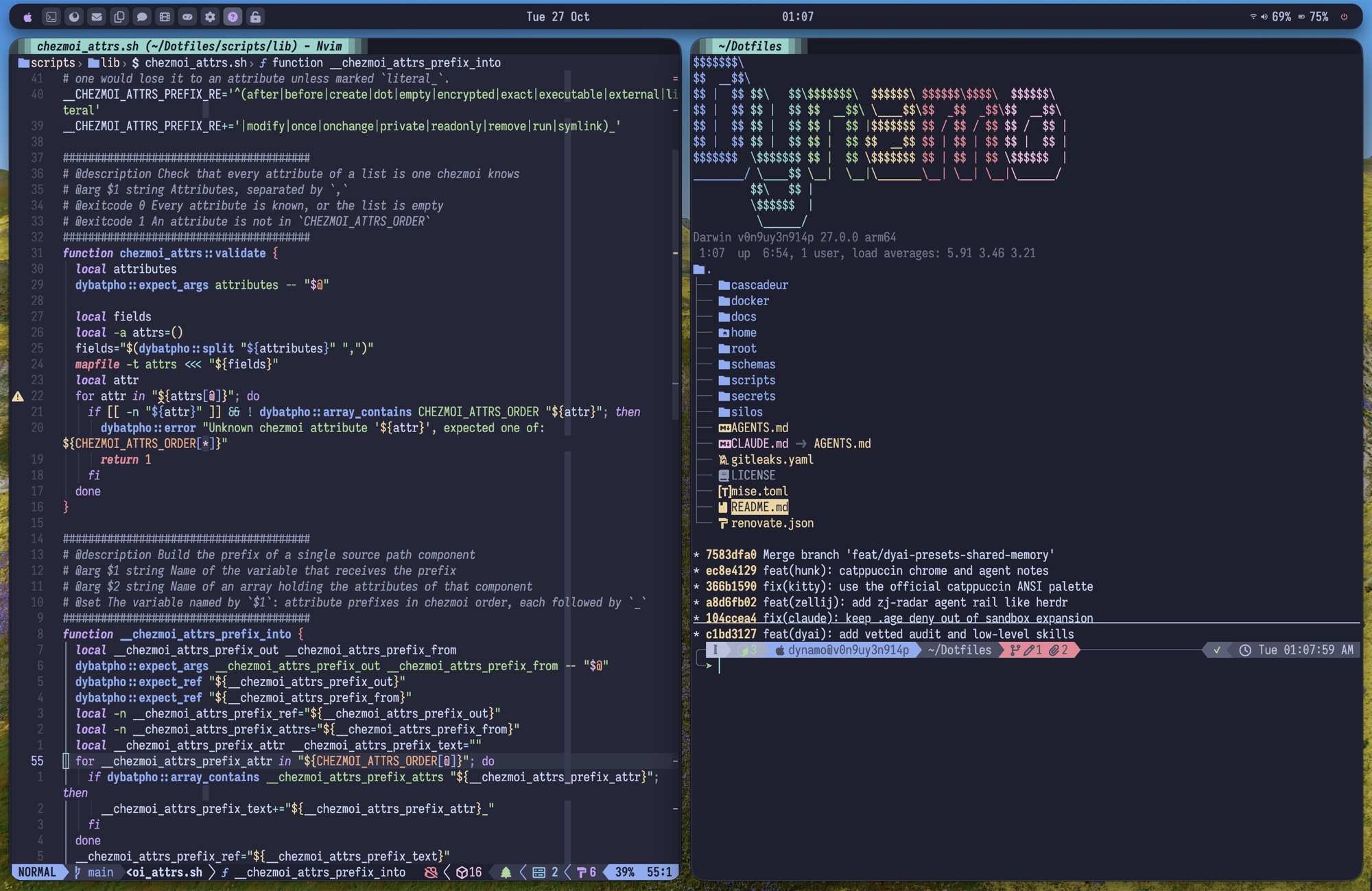
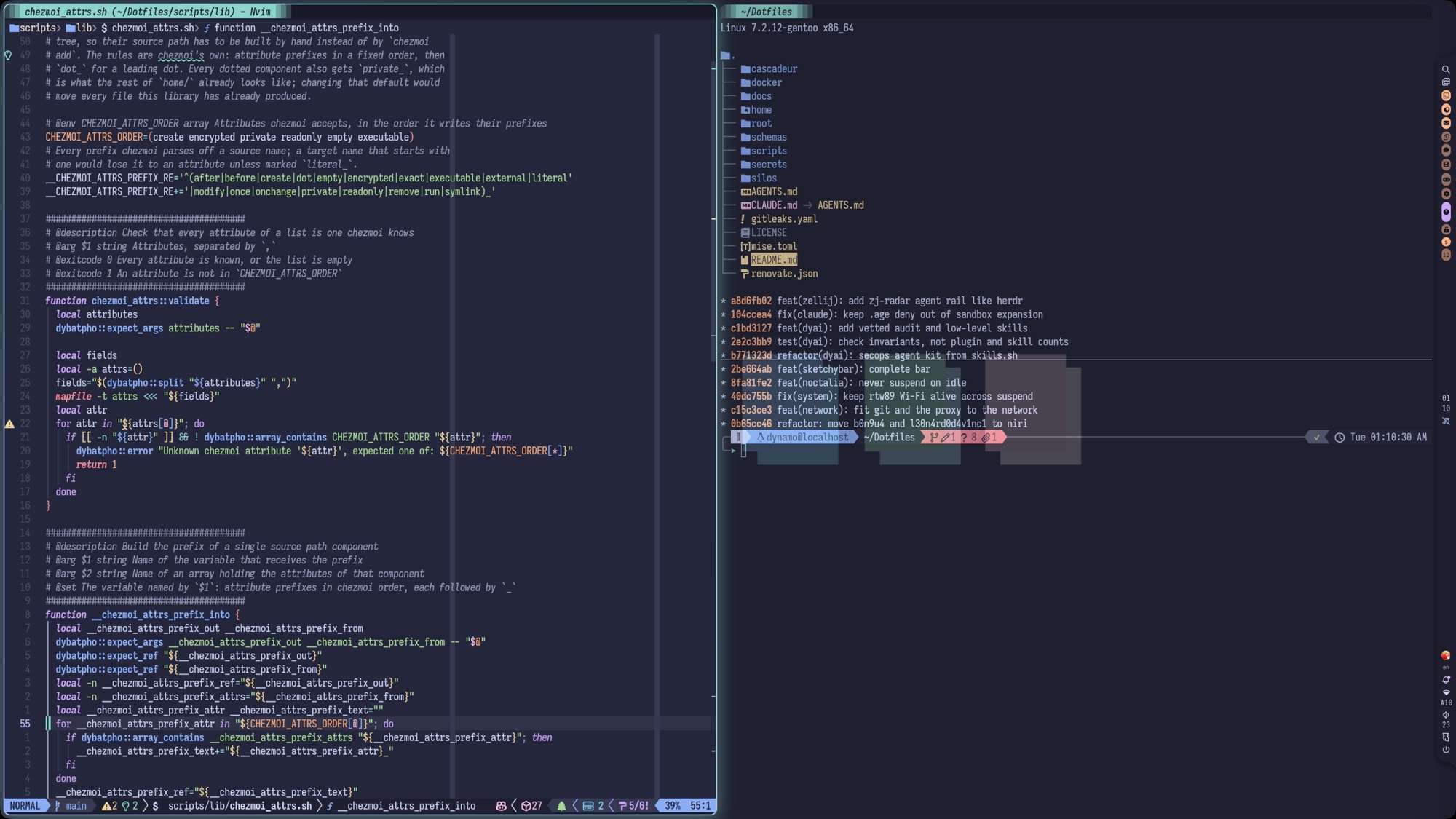
The screenshots live on the orphan
screenshots
branch, so the images never weigh on a clone of main.
| Key | Definition |
|---|---|
| ✅ | Fully supported |
| ❔ | Limited supported |
| ❌ | Not supported |
| 🧪 | Experimental |
| OS/Distro | amd64 | armv8 (arm64) | armv7 (arm) | Note |
|---|---|---|---|---|
| Gentoo | ✅ | ✅ | ❔ | |
| Arch Linux | ✅ | ✅ | ❔ | Included ARM version |
| Ubuntu | ✅ | ❔ | ❔ | Only from 24.04 LTS version |
| Alpine | ✅ | ✅ | ❔ | Only for container |
| Fedora | ❔ | ❔ | ❔ | Bootstrap only, dytoy installs no packages |
| MacOS | ❌ | ✅ | ||
| Android | ❔ | ✅ | ❌ | Not need to rooted |
| Windows | ❌ | ❌ | ❌ | Some tools on WSL can work, but not tested |
- Linux Wayland: ✅
- Linux X11: ❔
- MacOS Quartz Compositor: ✅
- Everything must be under control: every configuration lives in this repository, plain text and credentials alike (encrypted), with no exception.
- Everything must be easy to set up or change: initializing, editing, removing, extending and updating anything stays simple.
- Everything must be automated, with the fewest manual steps before setup: a new device, like the old one or not, should not pull me away from other work with hand-made steps.
- Everything must be dynamic, everywhere: it adapts to every machine and place, without tying me to one tool or one way of deploying.
- Everything must share the same pastel palette, in harmony: one colour scheme (Catppuccin) from the terminal to the wallpaper.
- Everything must work together: a tool that does not fit with the rest is dropped.
- Manage all configurations by only chezmoi, not use any other tool
(
dotbot,comtrya,stow...) or IaC tool (ansible,nix...). - Use script and template of chezmoi to generate and run anything.
- Use YAML to store shared config
- Use age with separated identity for each purpose
- Manage my home folders, some of OS configurations across multiple machines and working-in-progress folders
- Must convert configurations of a tool to use Git submodule as a part
of dotfiles, if match any of below conditions:
- Not existed in any machine, and has large disk usage (>=1MiB)
- Can be separated as a Git repository to get more stargazers, or to contribute from other folks :)
- Conflict with this repository's LICENSE
Run these commands:
curl -sSL https://raw.githubusercontent.com/dynamotn/dotfiles/main/scripts/prerequisite.sh | sh -
git clone https://github.com/dynamotn/dotfiles ~/Dotfiles
bash ~/Dotfiles/scripts/setup.sh
prerequisite.sh installs what chezmoi needs on Gentoo, Arch, Ubuntu/Debian,
Fedora, Alpine, Termux and macOS. setup.sh then fetches chezmoi, age and
yq, asks its questions and applies everything.
Answer questions, and wait to finish all setup scripts. The options of
setup.sh, the meaning of every question and the container and Lima images
are described in setup.
Note
- If you aren't me, need to answer no (
n) for "Do you want to decrypt... secrets?" questions. Don't ask me why :) - The answers of my own machines are stored in
home/.chezmoidata/machines.yaml, so a machine listed there is not asked them again. Its proxy and hostname are kept encrypted insecrets/data/<identity>/machine.yaml.age. - You need to grant "Full Disk Access" permission for terminal apps to fully set up machine
| Question | Choices |
|---|---|
| Place | cloud, home, office, mobility |
| Kind | container, pc, laptop, workstation, tablet, mobile, vm, sbc |
| GUI server | CLI-only, Wayland, XOrg, Mac |
| GUI driver | Nvidia, Intel, AMD, Mac, virtual |
| Window manager | Hyprland, niri, AeroSpace, OmniWM, GNOME |
| Browser | Zen Browser, Firefox, none |
| Mail client | Betterbird, Thunderbird, none |
| Terminal multiplexer | Zellij, tmux |
The full list, with defaults, is in
home/.chezmoidata/choices.yaml.
| Path | What it holds |
|---|---|
home/ |
chezmoi source for $HOME (.chezmoiroot points here) |
root/ |
source for system files applied to / |
cascadeur/ |
chezmoi source rendering this repo's .gitmodules |
docker/ |
Dockerfiles and build script of the toolbox images |
scripts/ |
setup, test, kernel, container and Lima scripts, plus bash libraries and the dyai submodule |
schemas/ |
YAML schemas for dytoy and the secrets data (dyai's live in its submodule) |
secrets/ |
age-encrypted secrets |
silos/ |
shortcuts to the configs I open most, and large submodules |
docs/ |
guides, commands and key bindings |
| Scope | Sheet |
|---|---|
| Terminal | kitty, fish, neovim |
| Linux window managers | niri, Hyprland |
| macOS | macOS, AeroSpace, OmniWM |
All sheets: key bindings
See commands, starting with the fish functions and abbreviations.
One YAML list says which tool comes from where — OS package manager, GitHub
release, mise, chezmoi external — and dytoy installs it the same way on
every platform. See dytoy.
dyai manages skills, subagents, MCP servers, plugins, hooks and policy for
every supported agent, the way mise manages tools: a shared baseline, plus
presets a project pulls in on demand. See dyai.
All LSP servers, debuggers, formatters, linters when I used with neovim
will be managed by mason plugin.
I also have a custom registry in neovim config.
| Guide | Covers |
|---|---|
| architecture | How the layers, data, hooks and agents fit together |
| setup | setup.sh options, init questions, machines, images |
| secrets | age identities, chezmoi-dycrypt, secret data layout |
| dytoy | Installing tools from dytoy YAML |
| dyai | AI agents, presets, MCP servers and skills |
| kernel | Building the Gentoo kernel with scripts/kernel.sh |
| tuning | System tuning notes |
| notes | Odd fixes for specific distributions |
Conventions for editing this repository, for humans and agents alike, are in AGENTS.md. Before committing, run:
./scripts/test.sh --all        # bats suite and every schema validation
dyshellint <changed scripts>   # shellcheck + shfmt + house rules
pre-commit run --all-files     # incl. betterleaks and detect-private-key
./scripts/test.sh --dytoy, --dyai or --secrets runs one schema
validation on its own.