
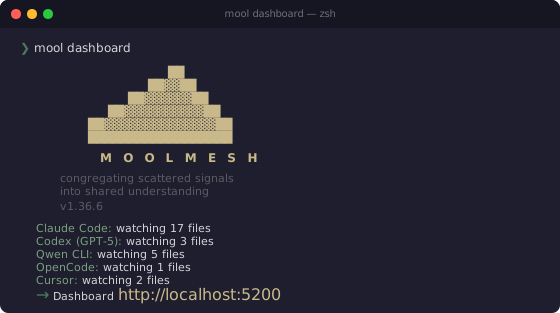
The context mesh for autonomous agents.
Unified observability, telemetry, and inter-agent coordination — running entirely on your machine.


Modern software development isn't human-to-keyboard anymore. It's an ecosystem of AI agents working in parallel — each with its own logs, token counters, and reasoning traces, all locked in separate silos.
When Claude Code gets stuck in a loop, your other agents don't know. When you spend tokens across several providers, you can't see which git commit justified it. When your team uses different AI tools on the same repo, nobody has the full picture.
MoolMesh congregates what is scattered. It auto-discovers sessions from every major AI coding agent, normalizes them into a single queryable database, and exposes that state to both humans (via a dashboard) and machines (via MCP).
Read our Philosophy to understand the dual axiom behind MoolMesh: Human-First & Agent-First.
Four views in a single browser tab:
| View | What it shows |
|---|---|
| AI Sessions | Live event feed from all agents — messages, tool calls, token usage, models |
| Analytics | Token consumption by provider, hourly activity, top tools, top projects |
| Project Pulse | PR kanban, issues list, milestones, GitHub Projects v2 board |
| Code Timeline | Commit feed, author stats, hot files, daily/weekly digest narratives |
Plus a MCP server that lets other AI agents query your session data programmatically — enabling agent-to-agent supervision and orchestration.
Requires Python 3.11 or later. MoolMesh uses match/case, tomllib, and other features that don't exist in earlier versions. Python 3.10 reached end-of-life in October 2026.
# Recommended — isolated install, global command
pipx install moolmesh

# Or with pip (inside a virtual environment)
pip install moolmesh
Note: On modern Linux (Ubuntu 22.04+, Debian 12+, Fedora 38+),
pip installoutside a virtual environment is blocked by PEP 668. Usepipxinstead, or create a venv first:python3 -m venv ~/.venvs/moolmesh && source ~/.venvs/moolmesh/bin/activate pip install moolmesh
# Recommended — handles PATH and dependencies automatically
uv tool install moolmesh

# Alternative
pipx install moolmesh

# Or with pip (may need to add Scripts to PATH)
pip install moolmesh
If mool is not found after installing with pip, add the Scripts directory to your PATH:
pip show -f moolmesh | findstr Scripts
$env:PATH += ";C:\Users\YourUser\AppData\Local\...\Scripts"# Foreground (blocks the terminal)
mool dashboard
# Background daemon (recommended — keeps running after you close the terminal)
mool daemon start
# → open http://localhost:5200The daemon runs on all platforms (macOS, Linux, Windows). Use mool daemon stop to stop it, mool daemon status to check (it exits 1 when a watcher is degraded).
mool daemon stop returns only once the process has exited; after 30 s it reports "still shutting down (PID N)" and exits 1. mool daemon start/restart wait for a daemon that is still shutting down, and for one that is still starting (for example, while a migration backs up a database: a one-time starting (migrating databases?) … notice past 10 s, up to 180 s), so a stop followed by a start never leaves it down.
That's it. MoolMesh auto-discovers your AI sessions immediately. No configuration needed.
Running from source:
git clone https://github.com/fmicalizzi/moolmesh.git
cd moolmesh

# macOS / Linux
python3 -m venv .venv && source .venv/bin/activate

# Windows (PowerShell)
python -m venv .venv; .venv\Scripts\Activate.ps1

pip install -e ".[dev]"
mool dashboard
mool daemon start does not survive a reboot. To have the daemon come back on
its own, register it with your OS supervisor (opt-in, nothing is installed by
default):
mool daemon install            # register + start now (localhost:5200)
mool daemon install --host 0.0.0.0 --port 5200
mool daemon install --dry-run  # print the file and commands, change nothing
mool daemon uninstall # remove exactly what install created| OS | Mechanism | File |
|---|---|---|
| macOS | LaunchAgent, label dev.moolmesh.daemon (launchctl bootstrap gui/<uid>; falls back to load -w) |
~/Library/LaunchAgents/dev.moolmesh.daemon.plist |
| Linux | systemd --user unit (Restart=on-failure, logs in journalctl --user -u moolmesh.service) |
~/.config/systemd/user/moolmesh.service |
| Windows | Task Scheduler task MoolMesh at logon, with pythonw.exe (no console) |
record in ~/.moolmesh/autostart-task.json |
- The supervised process always runs
python -m hub.cli daemon start --foregroundwith the interpreter you installed from, and thePATHof the install moment (launchd and systemd start with a minimal one; withoutghon it the GitHub sync would lose its token). Reinstalled or moved MoolMesh? Runmool daemon installagain —mool doctorflags a registration whose interpreter no longer exists. - With the autostart installed,
mool daemon start|stop|restartgo through the supervisor (systemctl --user …,launchctl kickstart/kill,schtasks /Run), so there is never a second daemon next to the supervised one. installnever overwrites a file it did not create (e.g. a hand-writtenmoolmesh.service): it exits 1 and shows the diff.--forcereplaces it after saving a.bak-<date>copy (for launchd the copy goes to~/.moolmesh/).- Linux: without linger a user unit only starts after you log in.
installchecksloginctl show-user "$USER" -p Lingerand, if it is off, tells you to runloginctl enable-linger "$USER"(it never runs it for you).
Stale data. MCP tools that read the portfolio (get_portfolio_grouped,
get_portfolio_production) and get_server_info carry a freshness block —
daemon_running, last_git_sync_at, last_github_sync_at, repos_stale,
last_ingest_at, data_age_seconds, stale — plus a top-level stale: true
when the daemon is down or the last git / GitHub API sync is older than
[daemon] stale_after_minutes (default 60) in ~/.moolmesh/config.toml. The
dashboard shows a banner on every page in that case, and mool doctor prints a
freshness line. daemon.log is rotated to daemon.log.1 past 10 MB.
Storage bounds. The full text stored per event (a tool's output, a long
message) is capped at [daemon] full_text_max_chars characters (default
256000; 0 = no cap): over it MoolMesh keeps the head and the tail around a
[… N caracteres omitidos por MoolMesh …] marker, so a 20 MB tool output can no
longer bloat events.db. The cap applies to new rows; text stored earlier is
left as is.
History is history on any path. An event whose own time is older than the
12 h live window when MoolMesh first reads it is stored as history
(events.historical = 1), whether it came from the live watcher, the startup
catch-up or mool backfill: the first read of an OpenCode or Cursor database
(months of sessions) no longer floods the live feed and SSE, and the lines a
resumed Claude session replays with their original dates stay out of "recent";
its new messages are live as usual.
Backups. Before rewriting existing rows, migrations and mool backfill --reparse copy the database to ~/.moolmesh/backups/; only the newest 5
events-* and 5 workspace-* copies are kept (older ones are deleted after
each new backup, never the one just made).
Local day. Digests, the workspace rollup and get_portfolio_production
share one definition of "which day": the zone in [user] timezone (an IANA
name such as "America/Costa_Rica"; unset = the system zone; an unknown name
falls back to the system zone with a warning in the log). A PR merged at 01:00
UTC is in the previous day's digest at UTC-6. get_portfolio_production(days)
returns merged_prs_window and closed_issues_window (merged / closed on a
local day of the window) next to the all-time merged_prs and closed_issues.
Days worked. The production strip counts a session on every local day it
had events on a project, not only on its last one: a session resumed over three
days lights three days. Each day counts distinct sessions; sessions counts
distinct sessions in the window (never the sum of the days) and active_days
the distinct days. The days live in workspace.db (edge_active_days). The
first daemon pass after the upgrade fills them from events.db, after a backup
of workspace.db; changing [user] timezone re-derives them the same way. A
session whose events are no longer in events.db is dated by its last event,
as before.
The rollup views (get_portfolio, get_portfolio_grouped and its client tier,
mool workspace portfolio, the /portfolio rows) carry the same figures next
to the touches, additively: sessions_worked (distinct sessions) and
days_worked (distinct local days) in the window — a client unions the
sessions and days of its projects, so a session shared by two projects counts
once. days_worked_basis says where they came from: edge_active_days, or
rollup when the table is missing or bucketed in another zone (then
days_worked is active_days and sessions_worked is null).
session_touches and active_days keep their meaning. The CLI shows
Nd (Nd/Mses worked).
Removed worktrees. Work done in a git worktree counts toward its repo after
the worktree is removed. MoolMesh records each git root it sees on disk
(known_git_roots in workspace.db; a linked worktree also records its main
checkout), and a directory under a recorded root that no longer exists keeps
that identity instead of showing up as a separate repo-less project. A session
that touched both the checkout and a worktree counts once for the project. The
first daemon pass after the upgrade, after a backup of workspace.db, keeps
what was already attributed to a repo and folds back the removed worktrees it
has evidence for — the repo's own .git/worktrees entry or a
git worktree add a session ran from the repo — never a folder name: a deleted
folder with no such evidence stays as it is. The counts go to hub.log.
A git worktree add counts only from its full command: every provider whose
tool call carries the command (Claude, Codex, Qwen, OpenCode, Pi, Antigravity)
keeps it whole in events.db for a shell call that adds a worktree, so a
worktree created and removed between two polls still folds into its repo. For
history older than that, one more pass after the upgrade — again after a backup
of workspace.db, and resumable — reads the commands from the agents' own
session files (read only; only files that mention worktree are parsed). A
command whose path uses a variable or that is piped does not count, and
evidence that names two repos for one path folds nothing. No config change is
needed; project_aliases stays the manual fallback for history with no
evidence. The scratchpad of a session that ran inside a removed worktree folds
into the worktree's repo too.
Agent scratchpads and throwaway repos. An agent's scratchpad folds into the
project of the session that used it, on macOS (/private/tmp/claude-<uid>/…),
Linux (/tmp/claude-<uid>/…) or any other temp root ($TMPDIR): the shape
<tmp>/claude-<uid>/<encoded-cwd>/<session-uuid>/ is what counts. Other folders
of the harness under <tmp>/claude-<uid>/ are tooling, never a project. A git
repo without a remote that an agent created (git init) in a scratchpad folds
into the session's project the same way, and one under an OS temp root
(/tmp, /private/tmp, /var, /private/var, /usr) shows as a temporary
folder instead of a project. A repo with a remote is keyed by that remote and
stays its project wherever it was checked out. Nothing to configure; the next
classification pass applies it.
pipx upgrade moolmesh --pip-args=--no-cache-dir         # pipx (recommended)
uv tool upgrade moolmesh --no-cache                      # uv tool
python -m pip install --upgrade --no-cache-dir moolmesh  # pip inside a virtual environment

mool daemon restart                                      # run the new version
--no-cache-dir / --no-cache skip the local cache: right after a release, a
cached wheel (or a lagging mirror) can make the upgrade resolve the previous
version. With a tool manager such as Scoop, use its own upgrade
(scoop update moolmesh).
Then restart open agent sessions (or their MCP servers) so they load the new
code. Every agent session keeps its own hub.mcp_server alive until it closes, so
it keeps serving the old version after the upgrade and mool daemon restart;
mool doctor lists the ones running old code.
What an upgrade does on its own. A migration that rewrites existing rows
first copies the database to ~/.moolmesh/backups/ (the newest 5 events-* and
5 workspace-* copies are kept), and every applied migration is logged
(Migration N applied: …) in daemon.log, or in hub.log when the CLI or an
MCP server applied it. A first start that is busy with such a backup can take a
while; daemon start/restart wait for it (see Start). Each
version's upgrade notes are in CHANGELOG.md.
Coming from an older version — only what still needs an action. Each item applies if the version you are upgrading from is older than the one named:
- Older than 1.26.2: MCP servers started by 1.26.1 or earlier cannot report
that they are stale, so
mool doctordoes not list them. Restart every open agent session once. - Older than 1.27.2:
mool daemon startdoes not survive a reboot. Register the daemon withmool daemon install(see Run at login), from the pipx / uv tool install, not from a development virtualenv. - Older than 1.28.0, OpenCode users: run
mool backfill --reparse opencode(a simulation that writes nothing), thenmool backfill --reparse opencode --yes(events.db is backed up first). It recovers the replies, reasoning and tool details earlier versions stored without text, and re-stores OpenCode events with the UTC timestamps (and fingerprints) 1.28.0 introduced. - Older than 1.28.1: backups now prune themselves to the newest 5 of each
kind; copy aside any older backup in
~/.moolmesh/backups/you want to keep. Empty-wal/-shmfiles that earlier versions left next to a provider's database are not removed; delete them by hand while the provider is closed. - Older than 1.29.0: PRs cached before the upgrade get their stats with
mool repo backfill-pr-stats --all-registered(200 PRs per run; rerun to continue). - Older than 1.35.0, Antigravity desktop/IDE users: run
mool backfillto bring in history older than the startup catch-up window.
Downgrading is not supported once a newer version has migrated your
databases. In particular, versions before 1.30.0 read kind = "remote" and
kind = "board" repos as code repos: do not downgrade with such repos
registered.
Windows: a running daemon can lock files inside the pipx venv and make
pipx upgrade fail or apply only partially — stop it first
(mool daemon stop), upgrade, then mool daemon start.
For system-wide access (run mool from any directory):
# Recommended — isolated venv, global binary
pipx install moolmesh

# Or with pip (requires a venv on modern Python)
pip install moolmeshmool daemon install (see Run at login) writes and manages this unit for you; the manual unit below is still supported.
mool daemon start works as a foreground entry point — MoolMesh auto-detects systemd and skips the double-fork:
# ~/.config/systemd/user/moolmesh.service
[Unit]
Description=MoolMesh Dashboard
After=network.target

[Service]
Type=simple
ExecStart=%h/.local/bin/mool daemon start --port 5200
Restart=always
RestartSec=5

[Install]
WantedBy=default.target
systemctl --user daemon-reload
systemctl --user enable --now moolmesh
systemctl --user status moolmeshWhy
Restart=always: according tosystemd.service(5),SIGHUP,SIGINT,SIGTERMandSIGPIPEcount as a clean exit, andRestart=on-failureonly revives non-zero exits or unclean signals. So withRestart=on-failureakill -TERM— including amool daemon stopfrom outside — would never be revived, whatever the exit code.Restart=alwaysrevives the dashboard after any exit;systemctl --user stop moolmeshstill stops it for good, because systemd never restarts a service it stopped itself.
Restart=on-failureremains a valid choice if you only want real failures revived:mool daemon start/mool dashboardexit 1 when they cannot start (port already in use, another MoolMesh on the port), and a supervised run never silently moves to the next port. But a terminated process will stay down until you start it again.Note:
mool daemon startauto-detects systemd ($INVOCATION_ID) and stays in the foreground, soType=simpleworks correctly. Outside systemd, it double-forks as usual;--foregroundforces the same behavior without the environment marker. When managed by systemd, usesystemctl --user stop/restart moolmeshinstead ofmool daemon stop/restart— MoolMesh warns, but it cannot restart the unit for you.
| Provider | Session source | Format |
|---|---|---|
| Claude Code | ~/.claude/projects/ |
JSONL per session + subagent logs |
| Codex (GPT-5) | ~/.codex/sessions/ + state_5.sqlite |
Rollout JSONL + SQLite metadata |
| Qwen CLI | ~/.qwen/projects/ |
JSONL per chat |
| OpenCode | ~/.local/share/opencode/opencode.db |
SQLite (session → message → part) |
| Cursor | ~/Library/Application Support/Cursor/User/ (macOS) |
SQLite (state.vscdb key-value: composer bubbles) |
| Pi | ~/.pi/agent/sessions/ ($PI_CODING_AGENT_DIR) |
JSONL session tree per session |
| Antigravity (CLI, desktop app / IDE) | ~/.gemini/antigravity-cli/ ($ANTIGRAVITY_APP_DATA_DIR) and ~/.gemini/antigravity/ |
JSONL transcript per conversation + SQLite session index (read-only) |
Sessions are auto-discovered on startup. No configuration, no API keys, no cloud services.
Register a git repository to unlock Project Pulse and Code Timeline:
cd /path/to/your/repo
mool repo add                            # Registers the current directory
mool repo add --remote acme/widgets      # No clone: issues, PRs and PR stats only
mool repo add --owner acme --dry-run     # Every repo of an org or user, as remote
This ingests commit history and starts polling GitHub for issues, PRs, milestones, and Projects v2.
mool repo list                           # Show registered repos
mool repo remove                         # Unregister current repo
mool repo sync --all                     # Re-ingest full history
mool repo backfill-pr-stats --all-registered --limit 200   # +/-, files, closed issues of older PRs
All repo subcommands default to the current directory when no path is given.
Per-PR stats: the GitHub poll also stores, for each new or updated PR, its additions, deletions, changed files and the issues it closes (closingIssuesReferences, qualified as owner/repo#n — a PR can close issues in other repos). One GraphQL call covers up to 25 PRs, at most 50 PRs per poll; if the call fails the sync continues and the PR stays without stats. PRs cached before the upgrade (or past the per-poll cap) are filled with mool repo backfill-pr-stats [PATH | --all-registered] [--limit N] — bounded and resumable, it only asks for PRs still missing stats. The dashboard's PR pipeline (/api/github/prs) carries additions, deletions, changed_files and closes.
Versioned snapshot export: mool snapshot export --repo OWNER/REPO --since YYYY-MM-DD --until YYYY-MM-DD [--format json] [--output FILE] prints one repo's snapshot for a range of local days ([user] timezone): issues opened and closed in the period, totals at the cut, merged PRs with their stats (+/-, files, closes as owner/repo#n) and a freshness field — a stable, documented contract (docs/schema/snapshot.v1.md, schema_version 1.0) for tools that build on MoolMesh. Two exports of the same range are byte-identical (no generation time in the body); --output writes atomically. A range the repo's last GitHub sync does not cover (e.g. one that includes today) is refused with exit 3 unless --allow-incomplete, which marks it freshness.complete = false. Agents get the same payload from the MCP tool get_snapshot(repo, since, until, allow_incomplete). It reads only github.db (no new API calls) and excluded repos answer as unregistered.
Per-device effort export (opt-in): mool device init [--label TEXT] creates ~/.moolmesh/device.json (mode 600: a random secret that never leaves the machine, your label, and a hash of the machine id — keep it out of dotfile sync). Then mool effort export --org ORG --timezone IANA --since YYYY-MM-DD --until YYYY-MM-DD --repo OWNER/NAME [--repo …] | --repos-from FILE [--output FILE] writes, for the listed repos only, one row per (repo, local day, provider) with sessions and touches (docs/schema/effort.v1.md, kind moolmesh.effort). Without a repo list or without device.json it refuses; a device.json copied from another machine is refused until mool device init --reset. The device id in the file is HMAC(secret, org) — a different id per organization. Unlisted repos, exclude_repos/exclude_owners and folders without a remote add nothing (no row, no count, no total). day is the local day in --timezone (the organization's zone, not this machine's); repo_id is the numeric GitHub id, so a transferred repo keeps its series. The primary measure is days worked (distinct days); sessions/touches are not additive across repos. The header carries generated_at, data_through and stale (the daemon's own record does not cover the period); re-exporting a period replaces it. Same data and arguments give identical rows. Read-only, no GitHub API calls, no author identities. mool device show [--org ORG] prints the label, the per-org id and whether the file belongs to this machine (never the secret).
Board repos (issues-only backlogs): a repo used only as an issue backlog, with no code, is registered as a board — mool repo add --board acme/backlog (no local clone needed; a local clone path also works). In config.toml that is kind = "board" on its [[repos]] entry (default "code", today's behaviour; a hand edit is picked up when the daemon restarts). A board runs no git fetch and no commit ingestion, only the GitHub issues sync (the same calls as any repo — no new API calls). The portfolio shows it as board · N abiertas · M cerradas instead of "0 entregado" and leaves it out of the merged-PR ranking. Agents read the backlog with the MCP tool get_board_issues(repo, state, label, assignee, min_age_days, max_age_days, days, limit): issues filtered by label, assignee and age, plus the issues opened and closed on a local day of the last days days ([user] timezone) and the open backlog by label. It works on code repos too.
Remote-only repos (no local clone): a code repo you follow only through GitHub is registered with mool repo add --remote acme/widgets — no clone and no git history; its issues, PRs and per-PR stats are synced like any code repo (kind = "remote" in config.toml, keyed remote:github.com/acme/widgets; --all also backfills every issue/PR now). A board stays distinct: a board is a backlog, a remote repo is code whose merged PRs are the delivery. To follow a whole organization or personal account: mool repo add --owner acme [--include 'widget*' ...] [--dry-run] [--limit N] lists its repos (paginated, at most --limit, default 300; the listing stops early when fewer than 100 API calls are left in the hour) and registers each one as remote; --dry-run only lists. The portfolio shows a remote repo with GitHub activity in the window as sin clon — never "0 entregado" for lack of commits; its merged PRs count as delivery. Identity is the numeric GitHub id (github.db migration 8, additive repos.github_id): the daemon checks each registered repo with one GET /repos/{owner}/{repo} at most every 6 h (an ETag makes an unchanged repo a 304, which does not count against the rate limit; a repo with no id yet is retried every 10 min), and when GitHub answers with a new owner/name for the same id — a transfer or a rename — the existing row and config entry are updated, so the issues/PRs series keeps its history; repo add --remote/--owner with the new name renames instead of duplicating. repo remove, repo sync and get_board_issues accept owner/repo for a clone-less repo.
A token is resolved automatically in this order:
gh auth token(GitHub CLI — recommended)GITHUB_TOKENenvironment variable~/.moolmesh/config.toml→[github] token = "..."
For public repos, no token is needed — commit history works without GitHub API access.
For private repos, a token with repo scope is required. The easiest way:
gh auth login # Follow prompts, select repo scopeIf you don't have the GitHub CLI, set the env var or add it to config:
# ~/.moolmesh/config.toml
[github]
token = "ghp_xxxxxxxxxxxxxxxxxxxx"
Without a valid token, mool repo add still works — it ingests local git history, but Project Pulse (issues, PRs, milestones) won't have GitHub data.
A session's directory name is not the project it worked on. The Workspace axis attributes every file-touch to the project that owns the file — recovering the real multi-project (M:N) picture, and making a folder visible even before or without any agent (VISION §6).
Attribute agent work you've already captured — a read-only pass over events.db that maps each absolute file_path to its owning workspace (identity ladder git-remote → git-root → path-hash, so it survives rename/move/clone and works even without git):
mool workspace backfill                  # populate workspace.db (reads events.db read-only)
mool workspace list                      # workspaces with session / file / fs-touch counts
mool workspace session <session_id>      # which workspaces a session touched
mool workspace sessions <workspace_key>  # which sessions touched a workspace
Observe folders directly — mark a root and MoolMesh watches it for file changes, so a materials-gathering folder, a non-CLI tool (e.g. a design app whose output is only observable by path), or non-software work lights up with zero agent or git activity. Strictly opt-in: with no roots marked, nothing is observed.
mool workspace root add ~/Projects/campaign --max-depth 4 --exclude drafts
mool workspace root list                 # marked roots
mool workspace root remove ~/Projects/campaign
mool workspace touches <workspace_key>   # filesystem touches attributed to a workspace
The watcher is pure-stdlib: a bounded recursive scan with an mtime cursor (no watch-per-file), sensible default excludes (VCS internals, dependency dirs, build outputs, sync/cache folders), and a max_depth bound. All path-touches land in a separate workspace.db — the events.db hot path and SSE stream are never touched. Set hide_project_names = true under [workspace] in ~/.moolmesh/config.toml to mask folder names in the visible surface.
See the portfolio — roll every path-touch into a machine-wide portfolio that is signal-agnostic: a workspace lights up whether the activity came from a session, the filesystem, or git. On top of it, a local delivery_candidate flags likely-delivered work — surfaced as a candidate with confidence, never as a fact (quiescence plus a recorded second signal: a session close, a git commit, or a new artifact at the root; no cloud entity, no LLM).
mool workspace rollup                    # (re)build the portfolio rollup + run the detector
mool workspace portfolio                 # hot workspaces, by signal
mool workspace delivery                  # delivery candidates (with confidence + the 2nd signal)
The dashboard adds a read-on-load /portfolio view over workspace.db (the SSE stream is untouched). Agents can read all of this over MCP via the read-only workspace tools (list_workspaces, get_session_workspaces, get_workspace_sessions, get_workspace_touches, get_portfolio, get_workspace_activity, get_delivery_candidates).
Team mark + order by config (v1.26) — every key is optional and empty by default:
[user] emails = ["you@example.com"]— your commit emails (case-insensitive). A hot project state sustained only by commits from other people carriesteam_onlyand the UI shows the· equipochip; local sessions and filesystem touches always count as yours. Nothing per-person is ever exposed, and with no emails configured nothing is marked.[workspace] project_aliases = { "<old path or key>" = "<canonical path or key>" }— fold a moved/renamed folder (or a container-internal path like/app) into the real project: its history, state and outcome move with it, and no origin row remains. A missing destination only warns.[workspace] reference_containers = ["<path>"]— the folder and its children go to the "Contenedores / referencia" section (never projects), and their activity no longer makes the parent active. Works even if the folder no longer exists.[workspace] temporary_containers = ["<path>"]— direct children render in their own visible, collapsed "Temporal" section, keeping their state and history.
One client across several owners, a shared registry, confidential repos (#95) — every key is optional and empty by default:
-
[workspace] client_owner_aliases = { "acme-labs" = "acme" }— map a whole owner (an organization or a personal account) to a client. Every repo of that owner, including one created tomorrow, lands under the client with no per-project override. The client attribution ladder, first match wins:client_overrides(per project) >client_owner_aliases(per owner) >personal_orgs/client_orgs> the rest (externos / referencia, shared folder). An alias also applies to a gitless parent folder (_acme-labs) and counts toward the client in the child-repo majority. An alias outrankspersonal_orgs, so an account that is "yours" on one machine can still be grouped under a client. -
[workspace] client_registry = "~/shared/clients.toml"— an optional, read-only client registry several machines share so they group the same way (a relative path is relative to~/.moolmesh). It is merged under the local values: local wins on a conflicting key, lists are unioned, and it is never copied intoconfig.toml. A missing or invalid file logs a warning once and the local config applies alone. Format (every key optional;personal_orgsis deliberately per machine and not read from it):version = 1 client_orgs = ["acme", "globex"] exclude_owners = ["initech"] exclude_repos = ["globex/secret-plans"] [client_owner_aliases] "acme-labs" = "acme" [client_overrides] "git_remote:github.com/globex/widget-services" = "acme"
-
[workspace] exclude_owners = ["initech"],exclude_repos = ["globex/secret-plans"]— confidential repos that are never read: nogit fetch/git log, no GitHub API call (issues, PRs, milestones, projects, identity checks),repo add(path,--board,--remote,--owner) refuses them (--owneron an excluded owner refuses before listing anything),repo sync/backfill-pr-statsskip them, and they disappear from the portfolio, the MCP tools (get_portfolio,get_portfolio_grouped,get_portfolio_production,get_board_issues,get_snapshot) and/api/repos. Matching is case-insensitive;exclude_reposacceptsowner/repo,github.com/owner/repoor a GitHub URL. A repo registered before it was excluded keeps its stored data — the daemon just skips it (logged once per repo). To delete that data:mool repo remove <path | owner/repo>(config entry and itsgithub.dbrows). Registering a local clone by path still reads itsoriginURL once to learn the owner, and then stops.
Per-person breakdown, opt-in (#83) — the portfolio outcome is contributor-agnostic by default. A team coordinator can turn on a breakdown by GitHub login, read only from what github.db already caches (no new GitHub call):
[team]
per_contributor = true                                  # default false
contributor_aliases = { "alice-acme-old" = "alice-acme" } # optional; several logins → one alias are summed
bot_logins = ["ci-runner-acme"]                         # optional; added to dependabot, *[bot], app/*
With it on, get_portfolio_production (MCP) and /api/workspace/portfolio/production carry per_contributor: true and, per project, contributors ({login or alias: merged PRs, closed / open issues, all-time and in the window, and PR lines +/- when the PR stats are cached}) and contributors_bots; the daily/weekly digests add a "Por persona" block; the dashboard's production card shows "vista por persona activa" and the breakdown in each project's tooltip. A merged PR is credited to its author, an issue to its first non-bot assignee (else its author); each item to exactly one person, so the per-person sum is the total minus bots. Bots — and items with no login — count in totals, never as a person. With the option off (or absent) every output is byte-for-byte what it was before. Digests already cached keep their text until regenerated.
Full history once: mool repo sync --all-registered [--all | --days N] syncs every registered repo in one bounded, resumable pass (one repo's error never stops the rest) and prints a summary. With --all it ingests the full git history and the full issues/PRs history (the incremental poll is capped at 1000 items per repo), marking each repo history_complete; until then the portfolio labels outcome totals desde <first ingested commit> instead of "all-time". Registered repos that never lit up locally fold into a collapsed "registrados sin actividad" subgroup per client, and a GitHub remote that was never registered reads "no medido" (distinct from "— sin repo" and from a measured "0 entregado").
MoolMesh exposes a read-only MCP server over stdio, allowing any MCP-compatible agent to query session data.
The MCP server uses PEP 723 inline script metadata for its dependencies (the mcp package). This keeps MoolMesh itself zero-dependency while allowing the MCP server to run standalone.
mool mcp setup                  # Claude Code (global, user scope)
mool mcp setup claude-desktop   # Claude Desktop (macOS/Linux/Windows)
mool mcp setup cursor           # Cursor IDE
mool mcp setup codex            # Codex (OpenAI CLI)
mool mcp setup qwen             # Qwen CLI
mool mcp setup opencode         # OpenCode
mool mcp setup antigravity      # Antigravity (~/.gemini/config/mcp_config.json)
mool mcp setup json             # Print config JSON for any MCP client
The command auto-detects your install method (pipx / uv tool / pip / venv), finds the correct Python and server paths, and checks for the mcp dependency. If mcp is missing it shows the exact command to install it, or use --install-deps to install automatically:
mool mcp setup --install-deps--install-deps installs mcp>=1.2.0,<2 (the bound matters: mcp 2.x is incompatible) the way your install method needs:
| Installed with | --install-deps runs |
|---|---|
pipx install moolmesh |
pipx inject moolmesh "mcp>=1.2.0,<2" |
uv tool install moolmesh |
uv pip install --python <tool python> "mcp>=1.2.0,<2" |
pip install moolmesh (venv or system) |
<python> -m pip install "mcp>=1.2.0,<2" |
uv tool environments ship without pip, so python -m pip does not work in them. If uv is not on your PATH, reinstall with the dependency included instead: uv tool install --with "mcp>=1.2.0,<2" moolmesh --force.
Use --dry-run to preview without changing anything: for Claude Code it prints the claude mcp remove / claude mcp add commands it would run (it never runs them), and for the other clients the config it would write.
If you prefer to configure manually, point the client at the Python interpreter
of the environment where MoolMesh (and mcp) is installed, and run the server as a
module (requires mcp>=1.2.0,<2 in that environment, e.g. pipx inject moolmesh "mcp>=1.2.0,<2"
or uv pip install --python /path/to/python "mcp>=1.2.0,<2"):
{
  "mcpServers": {
    "moolmesh": {
      "command": "/path/to/pipx/venvs/moolmesh/bin/python",
      "args": ["-m", "hub.mcp_server"]
    }
  }
}
On Windows the interpreter is ...\Scripts\python.exe. Don't use
uv run /path/to/hub/mcp_server.py: it runs the script in an isolated env without
the hub package and fails with No module named 'hub'.
All tools are read-only.
| Tool | Description |
|---|---|
get_server_info |
Running vs installed version of this MCP server, plus a freshness block — call it if results look inconsistent: a stale server must be restarted |
| Events & sessions | |
get_recent_events |
Latest N events across all providers (offset for paging) |
get_active_sessions |
Sessions active in the last N hours |
get_sessions |
Sessions with metadata (title, model, branch, cwd), filterable by provider and branch |
get_session_detail |
One session's metadata, stats and linked_sessions |
get_session_events |
A session's events, paginated (up to 500 per page), with text_mode none / snippet / full; Pi sessions show only the active branch |
get_token_usage |
Token consumption by provider |
get_tool_stats |
Top tools used by AI agents |
search_events |
Full-text search on event summaries (newest first) |
search_session_content |
Full-text search on the stored full text of events |
get_project_activity |
Complete project summary with stats |
| Correlation | |
get_branch_sessions |
Sessions correlated with a git branch |
get_session_chain |
Sessions linked to a session (predecessors and successors) |
| Workspace & portfolio | |
list_workspaces |
Known workspaces with session, file and filesystem-touch counts |
get_session_workspaces |
Workspaces a session touched |
get_workspace_sessions |
Sessions that touched a workspace |
get_workspace_touches |
Filesystem touches attributed to a workspace |
get_workspace_activity |
Per-day activity of one workspace (session / filesystem / git) |
get_portfolio |
Machine-wide portfolio rollup (with sessions_worked / days_worked) |
get_portfolio_grouped |
The portfolio grouped by client → project → materials, with freshness |
get_portfolio_production |
Production strip per project: days worked, outcome (all-time and in the window), optional per-contributor breakdown, freshness |
get_delivery_candidates |
Likely-delivered work, as candidates with confidence |
| GitHub | |
get_board_issues |
A repo's issues by label, assignee and age, with opened/closed counts per local day |
get_snapshot |
The versioned snapshot of mool snapshot export (docs/schema/snapshot.v1.md) |
Resources: hub://schema (database schema), hub://projects (project list with stats).
The server opens SQLite in read-only mode (?mode=ro). It runs as a separate process (~15-20 MB RAM), independent from the dashboard.
A server that is older than the installed version says so: get_server_info reports
stale: true, tools that return an object add a stale_server key, and the first
detection is logged once. Each server also records itself in
~/.moolmesh/run/mcp-<pid>.json (removed when it exits) so mool doctor can list the
ones running old code — that is MoolMesh's own state, not provider data.
Code Timeline generates daily and weekly digests for each registered repo:
| Level | What | When |
|---|---|---|
| L1 | Raw SQL stats (commits, PRs, issues, LOC) | Always available |
| L2 | Structured template with bullet points | Always available |
| L3 | LLM-generated narrative paragraph | When an LLM provider is configured |
L3 works with any OpenAI-compatible API. Configure in ~/.moolmesh/config.toml:
[llm]
provider = "openrouter"
api_url  = "https://openrouter.ai/api/v1"
model    = "google/gemma-4-31b-it:free"
api_key  = "sk-or-v1-..."
Supported providers: OpenRouter, OpenAI, Together, Groq, Ollama. If the LLM is unavailable, digests fall back to L2 automatically.
Generate Markdown analysis reports from the command line:
# Auto report — writes to ~/.moolmesh/reports/
mool report auto

# Full content (no truncation)
mool report auto --complete

# Filter by project or provider
mool report --project myapp --provider claude --output ./exportsmool <command> [options]
Commands:
dashboard Start the live monitoring dashboard (foreground)
daemon start Run the dashboard as a background service (--foreground: stay attached)
daemon stop Stop the background service (returns once it has exited)
daemon status Show daemon PID, uptime, autostart, log size (exit 1 if a watcher is degraded)
daemon restart Restart the background service
daemon install Start the daemon at login (launchd / systemd --user / Task Scheduler)
daemon uninstall Remove the autostart created by daemon install
status [--json] Quick alias for daemon status
doctor Run system diagnostics (freshness, autostart, stale MCP servers)
install Install mool command globally (~/.local/bin)
discover [--json] List all discovered AI agent projects
backfill Import session history outside the live window
sessions List sessions with metadata (--hours, --provider, --branch, --json)
export SESSION_ID Export a session transcript (--format markdown|json, --output FILE)
link SOURCE TARGET Link two related sessions (--type continues|references|reviews)
chain SESSION_ID Show the sessions linked to a session
detect-links Detect temporal links between sessions (--auto stores them)
report [auto] Generate batch Markdown analysis reports
repo add [PATH] Register a git repo (default: current directory; --board, --remote, --owner)
repo list List registered repos with commit counts
repo remove [PATH] Unregister a repo (default: current directory; owner/repo if no clone)
repo sync [PATH] Re-ingest commit history (--all, --all-registered)
repo backfill-pr-stats Fetch +/-, files and closed issues of cached PRs
snapshot export Versioned JSON snapshot of a repo for a range of days
device init|show Opt-in device identity for the effort export
effort export Per-device effort (listed repos, local days) as JSON
workspace ... Workspace axis: backfill, list, session, sessions, touches,
rollup, classify, portfolio, delivery, root add|list|remove
mcp setup [TARGET] Configure MCP server (claude-code|claude-desktop|cursor|codex|qwen|opencode|antigravity|json)
query events Recent events as JSON
query sessions Active sessions as JSON
query tokens Token usage by provider as JSON
query tools Top tools used by agents as JSON
query search TEXT Search events by text as JSON
query project NAME Project activity summary as JSON
query chain SESSION_ID Session chain as JSON
Global options:
--version Show version and exit
Dashboard / daemon options:
--port PORT Server port (default: 5200)
--host HOST Server host (default: localhost)
--project NAME Filter to project name
--providers LIST Comma-separated: claude,codex,qwen,opencode,cursor,pi,antigravity
--log-level LEVEL dashboard only: DEBUG|INFO|WARNING|ERROR (default: INFO)
Backfill options:
--provider P claude|codex|qwen|pi|antigravity|all (default: all file-based providers)
--since YYYY-MM-DD Only files modified on/after this local date
--dry-run Count what would be processed; write nothing
--limit N At most N files with new data per run (re-run continues)
--reparse codex|opencode Re-ingest with the current parser (simulates; --yes applies, after a backup)
Report options:
--complete Full-content mode: no truncation
--daily Only day-level reports (auto mode)
--output DIR Output directory
--provider PROVIDER Filter by provider
Every subcommand has its own --help.
Session transcripts: mool export SESSION_ID writes Markdown (default) or
JSON (--format json) to stdout or --output FILE, with every event of the
session. For Pi sessions, which are trees (/tree goes back and branches), it
shows only the branch the user is on; abandoned branches stay in the database
and in every other view. Other providers' sessions are shown in stored order.
For agents that don't have MCP support, mool query exposes the same data as the MCP server via stdout JSON:
# Get the last 10 events
mool query events -n 10

# Active sessions in the last 2 hours
mool query sessions --hours 2

# Token consumption by provider since a date
mool query tokens --since 2026-06-01

# Top tools used in a project
mool query tools --project moolmesh -n 5

# Search for events mentioning "daemon"
mool query search "daemon" --provider claude

# Full project activity summary
mool query project moolmesh
All output is valid JSON — pipe to jq, parse with any language, or use from agent subprocess calls. Also: mool status --json and mool discover --json for machine-parseable output.
Before the first daemon start there is no ~/.moolmesh/events.db yet. mool query … and mool sessions --json then print a JSON error object on stdout and exit 1 (the same no_data exit as mool snapshot export and mool effort export), without creating the database:
{"error": "no_data", "message": "...", "hint": "mool daemon start"}A database that exists but cannot be read answers the same way with "error": "db_unreadable". Plain mool sessions prints the hint on stderr and exits 1. (mool status --json keeps exit 0 with "running": false: "not running" is a valid status, while a query with no data is not an answer.) The mcp SDK is optional: without it mool query and mool sessions work and print nothing on stderr; only starting the MCP server reports the missing SDK.
When the dashboard is running, GET /health returns:
{"status": "healthy", "pid": 4242, "version": "1.36.1", "uptime_seconds": 3600, "events_count": 45231, "watchers": {"...": "..."}}status is degraded when a running watcher is dead or stalled. GET /api/freshness
returns the same freshness block as the MCP tools.
hub/
  parsers/         JSONL + SQLite parsers for each provider
  adapters/        Normalize provider entries → unified events
  watchers/        File harvesters: discover → offset → parse → store → SSE
  harvesters/      GitHarvester (120s) + GitHubHarvester (15s/60s)
  integrations/    GitHubClient (REST + GraphQL) + LLM clients
  digests/         L1 Stats → L2 Template → L3 LLM narrative
  correlation/     AI ↔ Git links: Co-Author, issue refs, timestamps
  dashboard/       HTTP server + SSE + 4 HTML pages
  cache/           EventStore (events.db) + GitStore (github.db)
  mcp_server.py    MCP stdio server (read-only, PEP 723 inline deps)
  cli.py           CLI entry point
- Discovery scans provider directories for session files
- Parsers read JSONL or query SQLite into typed entries
- Adapters normalize to
UnifiedEventwith common fields - Watchers poll incrementally, store atomically in SQLite, push to SSE
- Dashboard serves live feed + analytics via HTTP + Server-Sent Events
All state is persisted in SQLite. Crash-safe, exactly-once semantics via transactional offsets.
| Database | Path | Contents |
|---|---|---|
events.db |
~/.moolmesh/events.db |
AI session events, file offsets, SSE replay buffer |
github.db |
~/.moolmesh/github.db |
Repos, commits, issues, PRs (and their stats), milestones, digests |
workspace.db |
~/.moolmesh/workspace.db |
Workspace attribution, filesystem touches, portfolio rollup, days worked |
The databases are created automatically and migrate on startup (versioned
migrations; a migration that rewrites rows backs up first to
~/.moolmesh/backups/, newest 5 of each kind kept). Other files under
~/.moolmesh/: config.toml (configuration), daemon.log (rotated to
daemon.log.1 past 10 MB) and hub.log (CLI and MCP servers), run/ (the MCP
server registry mool doctor reads), reports/ (mool report auto) and, only
after mool device init, device.json (mode 600).
- Zero-gap SSE —
id:fields enable browser reconnection with replay from SQLite - Transactional offsets — events and file positions update in a single transaction
- Git crash safety — exceptions caught per-repo, 60s timeout on
git fetch - GitHub ETags — 304 responses don't consume rate limit
- Digest fallback — LLM unavailable → L2 template, no repos → L1 stats
- OpenCode WAL safety — read-only SQLite with timeout, never blocks OpenCode writes
MoolMesh started with coding-agent sessions, but the vision is to observe the work, not just the sessions — attributing every file-touch to the project that owns it, and eventually seeing a folder directly, before or without an agent (VISION §6).
| Status | Version | Scope |
|---|---|---|
| Shipped | v1.6 | Cross-session linking, session metadata, full text export, full-text search, git branch correlation |
| Shipped | v1.7 | Cursor provider (5th) — Claude, Codex, Qwen, OpenCode, Cursor; universal mool mcp setup <client> |
| Shipped | v1.8 | Windows daemon, GitHub client hardening (retry/backoff, pagination), MCP pagination & ordering |
| Shipped | v1.9 | Observe-base hygiene: honest session lifecycle, tool_result classification, timestamp honesty (#16/#17/#18) |
| Shipped | v1.10 | Workspace axis — Phase A: path → workspace resolver, M:N attribution over a separate workspace.db (#20) |
| Shipped | v1.11 | Workspace axis — Phase B: filesystem watcher — observe marked folders directly, no agent/git required; opt-in roots + mtime cursor into workspace.db (#21) |
| Shipped | v1.12 | Workspace axis — Phase C: signal-agnostic portfolio rollup (session + filesystem + git) + delivery_candidate (candidate with confidence); read-on-load /portfolio dashboard view (#22) |
| Shipped | v1.13 | Portfolio intelligence — Stage 1: collapse agent-harness folders onto their real project (session-cwd + validated decode) + hierarchical grouping (subdirs/materials nested, config dotfolders de-prioritized); additive workspace_classification, grouped /portfolio view (#24) |
| Shipped | v1.14 | Portfolio intelligence — Stage 2: production-over-time — per-project contribution strip (sessions/day by honest ingestion created_at), colored by agent, ordered by recency, 4d/week/month toggle; effort = sessions + active days (not duration); image/video deliverable count; inline SVG (zero-dep); leaf-project caret fix (#24) |
| Shipped | v1.15 | Project Intelligence — Unit 1: outcome layer: merged-PR / closed-issue / open-issue per canonical project in the production view (authoritative delivery from github.db, read-only, contributor-agnostic) + explicit [workspace] filesystem_monitoring opt-in flag & dashboard indicator (gates only folder monitoring, not the portfolio) (#27) |
| Shipped | v1.16 | Project Intelligence — Unit 2: derived project state: per canonical project a single state chip — 🟢 activo · 🟡 enfriándose · 🔵 entregado · 🟠 estancado · ⚪ pausado — fusing local activity (session/fs/git over honest clocks, _parse_ts) with the GitHub outcome layer; outcome_measurable distinguishes gitless (not measurable) from repo-with-0-PRs (measurable); surfaced with its auditable basis, never a bare flag; absorbs the cold-projects view (#25) (#28) |
| Shipped | v1.17 | Project Intelligence — Unit 3: client/org hierarchy: a third tier client → project → materials over the portfolio; client = git-remote org (case/underscore-insensitive), ladder override → git-org → parent-folder; known owner orgs = client nodes (client_orgs, auto-seeded), the owner's own org shown loose (personal_orgs), unknown orgs in an externos/referencia drawer, SHARED-WORKSPACE as a shared node; effort + outcome + state rolled up to the client (contributor-agnostic); starts invisible until an owner identity is configured; closes epic #26 (absorbs client attribution #24 Stage 3) (#29) |
| Shipped | v1.18 | Portfolio UX redesign — Part A (layout): the /portfolio view reclaims the wasted horizontal space — production strip fills its column (replaces the left-anchored inline SVG), dense single-line rows (~2–3× more projects/screen), clean names (github.com/ dropped, 1 line + ellipsis + tooltip), outcome as a first-class tri-state column (merged-PR / real-0 / no-repo-not-measurable), column headers, derived state as a leading scan-anchor dot; presentation-only (resolver/state/outcome #27/#28/#29, SSE and masking untouched), zero new deps (#35) |
| Shipped | v1.19 | Portfolio UX redesign — Part B (charts + KPIs): an executive-summary space over the list — a KPI tile row (proyectos activos, PR mergeados all-time, entregados, estancados, clientes), a state-distribution bar (status palette + icon + label, never color-alone) plus a recency histogram (state.age_days, real clocks, buckets hoy/1–3d/4–7d/8–30d/>30d) in one card, and top-by-activity / top-by-delivery bars (single hue + direct labels); tri-state honesty in the delivery chart (real-0 ≠ not-measurable), palette validated to avoid the failing categorical trio (ΔE 14.2); presentation-only (zero-dep inline SVG; resolver/state/outcome #27/#28/#29, SSE and masking untouched) (#37) |
| Shipped | v1.20 | Live portfolio — scheduled attribution: the daemon attributes new sessions to workspaces incrementally (events.id cursor in workspace.db, advanced only after a successful commit) and refreshes rollup/candidates/classification on new attributions or hourly, so /portfolio no longer goes stale until a manual mool workspace backfill; toggle [workspace] auto_attribution (default on, independent of filesystem_monitoring); freshness (last_attribution_at) exposed in the monitoring API; disk I/O moved outside the store lock, classification written atomically; events.db still read-only (#39) |
| Shipped | v1.21 | Codex in the portfolio + event-time dating: the Codex parser reads the current custom_tool_call format (exec JS / apply_patch, regex-only extraction, workdir-resolved, untruncated); a cwd fallback attributes any provider's sessions that touched no file to their working directory (via='cwd', replaced once a file edge appears); session activity is dated by the earliest event (event_ts, mixed formats → UTC day) instead of attribution time, with a one-time automatic re-derive of the history; session counts reconciled from edges (fs/git untouched) (#40, #42) |
| Shipped | v1.22 | Portfolio freshness + test isolation: /portfolio shows when it was last updated ("actualizado hace X") and warns when it is stale, failing, turned off or waiting for a daemon restart (dot + text, no names/paths, lightweight 60 s re-fetch); the test suite can no longer open or migrate the real ~/.moolmesh (home override before import + guard; real-data tests opt-in and read-only); folder watcher stopped cleanly on shutdown (#43, #44) |
| Shipped | v1.23 | Full history ingestion: a real, resumable mool backfill imports all Claude / Codex / Qwen sessions outside the daemon's 12 h live window (idempotent, batched, --dry-run/--since/--provider); the daemon catches up after downtime without flooding SSE; --reparse codex --yes re-ingests older Codex sessions with the current parser (backup first, per-session transaction); cloud-only placeholder files are skipped without triggering downloads; an events.historical flag keeps imported history out of the live "recent" feed (#45) |
| Shipped | v1.24 | Honest portfolio (audit #36): each project dated by its own attribution edges (per-edge activity clock) instead of the latest activity of any session that touched it; totals include nested sub-folders/materials like state does; shell-tool commands no longer become folders; install-day OpenCode rows dated by event time; temp/system folders and app bundles move to "unclassified"; automatic one-time re-derive (#56, #57, #58, #61) |
| Shipped | v1.25 | Pi provider + provider template: MoolMesh observes the Pi coding agent (tree-aware JSONL parser, file attribution, tokens and cost, daemon/backfill/catch-up/CLI/MCP/dashboard); docs/PROVIDERS.md + a provider contract test make new providers cheaper; shell commands never stored as file paths; container-internal paths (/app…) are "unclassified"; README "Updating" with --no-cache-dir (#66, #64, #63) |
| Shipped | v1.26 | Team & order: "· equipo" mark when only other people's commits keep a project hot ([user] emails, nothing per person exposed); registered-but-inactive repos folded and "no medido"; local-config ordering with project_aliases (incl. container paths), reference_containers, temporary_containers; majority-org client rung; mool repo sync --all-registered --all with "desde " labels while history is partial (#36, #60, #64, #59) |
| Shipped | v1.27 | Antigravity CLI provider (7th); OpenCode no longer loses streamed replies (mool backfill --reparse opencode); mool daemon install (launchd / systemd --user / Task Scheduler) and a stale-data flag measured from the data, with daemon.log rotation (1.27.2) (#74, #75, #78, #76) |
| Shipped | v1.28 | One local day ([user] timezone, DST-aware) for digests, the workspace rollup and the portfolio, plus the delivery of a time window; OpenCode timestamps in UTC; observe robustness: streaming reads, a per-event full-text cap, self-pruning backups, old data stored as history on any path, provider entry ids (1.28.1) (#81, #79, #52, #54, #62, #67) |
| Shipped | v1.29 | Per-PR stats (+/-, changed files, closed issues as owner/repo#n) and mool repo backfill-pr-stats; daemon stop waits for the process to exit, shutdown under a second (1.29.1) (#80, #96) |
| Shipped | v1.30 | Board repos (issues-only backlogs, MCP get_board_issues), remote-only repos (repo add --remote, --owner) with identity by GitHub id, owner aliases, a shared client registry and excluded repos (#93, #94, #95) |
| Shipped | v1.31 | Versioned snapshot export (mool snapshot export, MCP get_snapshot, docs/schema/snapshot.v1.md); outage days re-dated; every module logs under hub.* and daemon start waits out a slow start (1.31.1–1.31.2) (#82, #101, #107, #108, #111) |
| Shipped | v1.32 | Days worked: the production strip counts a session on every local day it worked a project (#114) |
| Shipped | v1.33 | Active branch of tree sessions in mool export and the MCP session events; mool mcp setup antigravity; .git reads never trigger cloud downloads; orphan workspaces pruned; Codex attribution fixes (#67, #77, #52, #46, #47, #48, #49) |
| Shipped | v1.34 | Days worked next to touches in the rollup views; Qwen active branch; parallel tool results visible again (1.34.1); an outage catch-up counts on its own day and mool export is complete (1.34.2); migrations logged in hub.log (1.34.3) (#122, #123, #127, #131, #132, #130, #136) |
| Shipped | v1.35 | Per-contributor breakdown, opt-in ([team]) in the portfolio and digests; Antigravity desktop app / IDE read too (#83, #77) |
| Shipped | v1.36 | Device identity and per-device effort export, opt-in and deny-by-default (mool device, mool effort export, docs/schema/effort.v1.md); the snapshot always names its zone (1.36.1) (#140, #146) |
| Next | — | mool-ops engine, a companion package in its own repo that reads MoolMesh only through mool snapshot export and mool effort export (#84). The container split (#30) was closed as won't-do for now. Org-scale team visibility stays deferred to v2.x; core offers only the opt-in [team] breakdown. |
| Future | v2.x | Workspace Phase D (cross-machine, opt-in); autonomous agents; org-scale observability |
See ROADMAP.md for detailed plans, open questions, and design principles.
- macOS optimal, Linux supported — macOS uses
kqueuefor instant detection; Linux uses polling (~1s) - No authentication — dashboard binds to localhost. Use a reverse proxy for remote access
- Single-user design — not intended for multi-user or server deployment
- Python 3.11+ — uses
tomllibfrom stdlib - GitHub Projects v2 only — classic Projects (v1) not supported
- Cursor caveats — Cursor stores no per-message timestamps locally (MoolMesh approximates them from composer metadata) and its on-disk schema is reverse-engineered, so a Cursor update may temporarily reduce ingestion until the parser is adjusted
- Antigravity caveats — the CLI (
agy) and the desktop app / IDE data dir (~/.gemini/antigravity) are both read, a conversation present in both is ingested once (from the CLI dir); model, tokens, cost and git branch are not read (the transcript does not carry them reliably), and the on-disk layout is not a documented API and the CLI ships several releases a week, so an update may temporarily reduce ingestion until the parser is adjusted (details indocs/PROVIDERS.md)
# Run all tests
pytest tests/ -v

# Run with coverage
pytest tests/ -v --cov=hub
2523 tests. Zero external dependencies. Python stdlib + SQLite.
See CONTRIBUTING.md for guidelines.
MIT — Your telemetry is yours.