

A fast, lightweight, and extensible scripting framework for building Discord bots in Node.js.


ForgeScript is a lightweight scripting language built on top of discord.js that makes Discord bot development fast and straightforward. Instead of dealing with massive boilerplate, you write clean code that executes top to bottom.
- 1,100+ Functions: Built-in support for embeds, components, automod, moderation, math, and string tools.
- Prefix & Slash Commands: Dedicated file loaders for standard message commands and Discord Application (slash) commands.
- Extensible: Easily add custom functions or plug in database and canvas extensions.
- TypeScript Ready: Types included out of the box.
Ensure you have Node.js v22.0.0 or higher installed.
npm install @tryforge/forgescriptTip: You can use the BotForge Client Generator to configure intents, events, and generate this file interactively.
const { ForgeClient } = require("@tryforge/forgescript");

const client = new ForgeClient({
  prefixes: ["!"],
  intents: [
    "Guilds",
    "GuildMessages",
    "MessageContent", // Privileged intent: enable in Discord Developer Portal
  ],
  events: [
    "messageCreate",
    "interactionCreate", // Required for slash commands and components
    "clientReady",
  ],
});

// Load standard prefix commands
client.commands.load("./commands/prefix");

// Load slash / application commands
client.applicationCommands.load("./commands/slash");

// The use of env variables is encouraged, skipped for simplicity.
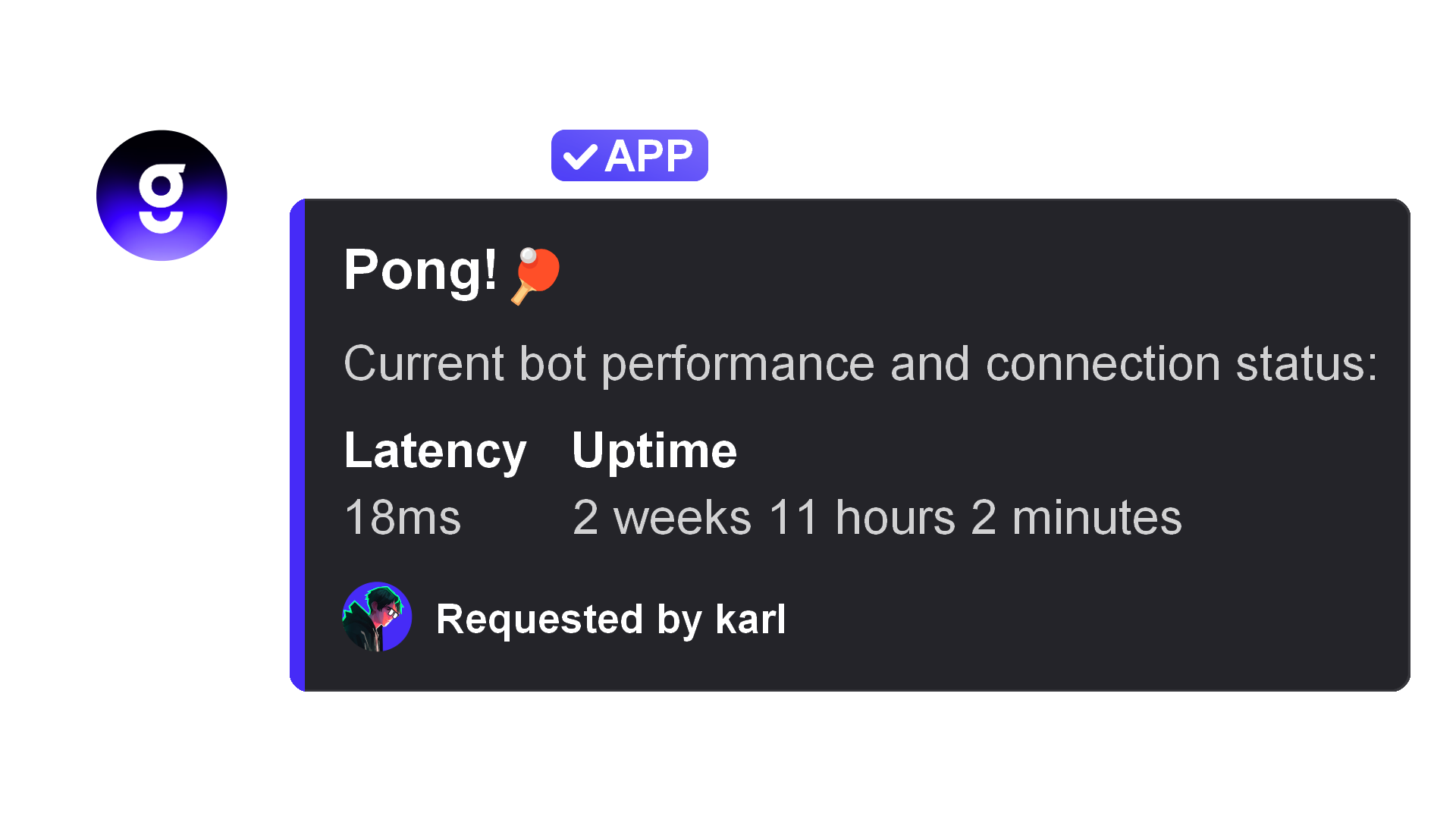
client.login("YOUR BOT'S TOKEN HERE"); // NEVER share your bot token!In ForgeScript, code runs sequentially from top to bottom. Built-in functions like $title, $description, and $addField make creating rich embeds effortless without constructing complex objects:
module.exports = {
  name: "ping",
  type: "messageCreate",
  code: `
    $title[Pong! 🏓]
    $description[Current bot performance and connection status:]
    $addField[Latency;$pingms;true]
    $addField[Uptime;$parseMS[$uptime];true]
    $color[#5865F2]
    $footer[Requested by $username;$userAvatar]
  `,
};
Slash commands define a Discord data object alongside their executable code:
module.exports = {
  data: {
    name: "ping",
    description: "Check bot latency",
  },
  code: `Pong! Latency: $pingms`,
};
Tip: You can visually configure options, choices, and subcommands using the Application Command Builder to generate your
datastructure. For further details, check out the Slash Commands Guide.
ForgeScript can be augmented with extensions. For example, to add database capabilities with ForgeDB:
npm install @tryforge/forge.dbconst { ForgeClient } = require("@tryforge/forgescript");
const { ForgeDB } = require("@tryforge/forge.db");
const client = new ForgeClient({
prefixes: ["!"],
intents: ["Guilds", "GuildMessages", "MessageContent"],
events: ["messageCreate"],
extensions: [
new ForgeDB(),
],
});Thank you to everyone contributing to ForgeScript!

- Official Documentation: docs.botforge.org
- Slash Commands Guide: docs.botforge.org/guide/Slash-Commands-284
- Discord Community: Join our Discord Server for support and announcements.
- Client Generator: tools.botforge.org/clientgen
- Contributing: Issues and pull requests are welcome on GitHub.
This project is licensed under the LGPL-3.0-or-later License.